
To prepare speakers for simultaneous interpretation, get their slides, notes and any names, acronyms or figures to the interpreters before the event. On the day, speakers should talk at a natural pace into a working microphone, with their earphones kept well away from it, and every audience question has to go through a microphone too. Remote speakers need a wired headset with a boom microphone and a sound check before they go live.
Picture a bilingual union convention in Ottawa. One panelist opens in English, the next answers in French, and then the chair takes a question from someone halfway back in the room who hasn’t waited for the roving mic. Up in the booth, the interpreters can only work with what reaches their headsets.
If you’re organizing the whole event, our guide to planning a multilingual conference covers staffing and equipment. This page is the part you forward to presenters. UNLS also provides multilingual event support if you’d like help planning the interpretation itself.
What should you send the interpreters before you speak?
A simultaneous interpreter stays a few seconds behind you for the whole talk, with no chance to stop and ask how a surname is spelled or what an acronym stands for. What they read beforehand is what lets them keep up when you’re at full speed.
At UNLS we ask clients for glossaries and presentation slides at least one week before the event. If a week isn’t realistic, send what you have and forward revisions as they come. The European Parliament’s interpretation service tells speakers to send their points “at any moment, even last minute.”
| What to send | Why it helps | When |
| Slides, including every updated version | Shows the order of the talk, the diagrams and the on-screen wording | A week ahead if you can, with revisions as they happen |
| Full script or speaking notes | Shows the argument, the quotations and any passages you’ll read | As soon as you have them |
| Agenda and session order | Lets interpreters anticipate topics and handovers | Before the event |
| Names, job titles and pronunciations | Removes guesswork about people, organizations and places | With the speaker list |
| Acronyms and specialist terms | Gives time to research the right term in each language | Before technical sessions |
| Figures, charts and quotations | Makes numbers and exact wording easier to follow live | With the slides or notes |
| Video and audio clips, with transcripts | Clips are often fast or hard to hear in the booth | Before the technical rehearsal |
You don’t need to write a polished script for the interpreters’ sake. For an unscripted talk, an annotated slide deck and a short glossary may be enough.
If you’ll be reading a dense technical text, send the full text. And if a word means something specific inside your organization (a union’s own name for a grievance stage, say), explain it in a line.
Share sensitive documents through whatever channel the organizer has set up. Our guide to confidentiality in interpreting explains what interpreters are bound to.
How fast should you speak with simultaneous interpretation?
When you’re explaining an idea in your own words, your natural pace is usually fine. Reading is where speakers speed up. The AIIC Greece-Cyprus guidelines for speakers put a number on it: allow about three minutes for a page of 40 lines.
Treat that as a rehearsal check. Read your densest page aloud with a timer running and see whether the names and numbers on it have room to land.
Say figures distinctly. “Fifteen percent” and “fifty percent” sound close in a noisy room, and an interpreter who mishears one can’t go back for it. Give the slide or page number when you point the audience to a chart, and put any quotation that has to be exact in the material you send ahead.
Interpreters run a few seconds behind you, a gap people sometimes call interpreter lag. A short pause after a key point, or before you hand over to the next speaker, lets listeners on the interpretation channel catch up.
Keep your jokes. A pun may land differently in the other language, so warn the interpreters about one that matters to your talk, or explain a reference your audience might not share.
Speaking French or English at a bilingual event
Use whichever official language you express yourself best in, since that’s what the interpretation is there for. If you plan to switch partway through, say so and pause for a moment. The European Commission’s tips for speakers ask for a clear announcement too. The interpreters have to change direction when you switch.
Chairs set the tone in the first minute. The Treasury Board’s guidance on how to hold bilingual meetings tells chairs to use English and French from the beginning and to remind people they can speak in their first official language. It also asks organizers to give interpreters every document in both languages, in the order it will be discussed.
New Brunswick’s guide to chairing bilingual meetings adds a warning that having interpreters in the booth won’t make a meeting bilingual on its own. In its words, “the chair must still monitor the situation carefully.”
Have names and titles ready in both languages where official versions exist, and say each name clearly when you introduce a speaker. French also varies between markets, and our post on Canadian French vs France French explains why that matters for a Canadian audience.
Using the microphone in the room
Interpreters hear only what reaches the interpretation system. Your voice can carry to the back row and still never reach the booth if the microphone is switched off, or sitting on the lectern while you walk over to the screen.
Switch the microphone on before you start and stay at a steady distance from it. Don’t tap or blow into it to check it works; say a short phrase instead. If you plan to move around the stage, ask the organizer for a lapel microphone ahead of time.
If you’re wearing earphones or a receiver, take them off before you speak and keep them away from your live microphone, as the European Commission advises. Sound from the earpiece leaks back into the system as feedback. Put the receiver back on for audience questions so you can follow anyone asking in the other language.
When a microphone fails mid-exchange, the moderator should pause until it’s fixed. Federal interpreters are directed to interrupt service when sound quality is insufficient, a rule that grew out of the hearing injuries we describe in our post on how government interpreting works in Canada.
Slides, videos and other media
The booth is often a long way from the screen, and a remote interpreter may be looking at a different view from yours. Refer to slides by number or title, and say out loud the point you want people to notice. “As you can see here” gives the interpretation channel nothing to work with.
Send video and audio clips ahead of time, with a transcript or subtitles if you have them, and tell the moderator when a clip will play. The organizer has to route the clip’s sound straight into the interpretation feed, because a microphone held up to a loudspeaker won’t give the interpreters usable audio. Our hybrid event guide covers that setup.
If the event has sign language interpreters or live captioners, send them the same scripts and slides. They prepare from the same material, even though they work differently from spoken-language interpreters. There’s more in our post on sign language interpreters at events and on our captioning services page.
How should moderators run panels and Q&A?
Most of what goes wrong in an interpreted panel happens in the handovers. Give each panelist the floor in turn and name them as you do it. When three people talk at once, the interpreters can only follow one of them.
Every audience question should go through a floor or roving microphone. If someone calls out from their seat anyway, repeat the question into your own microphone before the panelist answers.
Invite questions in either official language. When the language changes, give the interpreters a second to adjust, and if the back-and-forth speeds up, slow the turn-taking down.
New Brunswick’s guide recommends a staff member who liaises with the interpreters and deals with microphone problems or speakers going too fast. Agree on who that is before the session starts, so the booth has someone to signal without stopping the room.
What remote speakers need
For a remote speaker, the microphone is the entire connection to the booth. The ILO’s guidelines for speakers say built-in computer microphones shouldn’t be used, and that a statement may go uninterpreted if the sound is too poor.
What federal meetings require
Canada’s federal standard is stricter still. The Translation Bureau’s page on protecting interpreters requires a wired, unidirectional microphone that reproduces voice frequencies between 125 and 15,000 Hz. Built-in computer and earbud microphones are prohibited, as are wireless headset mics and the omnidirectional mics found in meeting rooms.
Speakers join 30 minutes early for a sound check with the interpreters. A speaker without an accepted microphone isn’t interpreted and has to submit questions in writing.
House of Commons committees have their own rules in the guide for witnesses. A House of Commons issued headset with a boom microphone is mandatory for a virtual appearance, and the onboarding test has to run on the same device, from the same location, as the appearance itself. Speaking notes go to the clerk at least 72 hours before the meeting. If a headset can’t be delivered in time, witnesses can buy an approved model and claim up to $250.
| Requirement | Translation Bureau (federal meetings) | House of Commons committee witnesses |
| Microphone | Wired and unidirectional, 125 to 15,000 Hz; no built-in or earbud mics, no wireless headsets | House of Commons issued headset with a boom microphone |
| Connection and device | Internet audio from a computer, with a wired connection; no phone lines | Wired connection to a computer recommended; tablets and phones discouraged |
| Testing | Sound check with the interpreters 30 minutes before the meeting | Mandatory onboarding test on the same device and location |
| If the audio doesn’t qualify | Interpreters stop; questions go in writing | Headsets outside the approved list can’t be used |
Applying the standard at your own event
These rules bind federal meetings and committee witnesses. A private conference can borrow the same standard for very little:
- Agree on which microphones and headsets are acceptable, and tell speakers before they buy anything.
- Test each speaker’s real setup, from the room they’ll present in.
- Ask for a quiet room and a wired internet connection wherever possible.
- Decide in advance what happens if someone’s audio still can’t be interpreted.
A headset with a boom microphone is usually the simplest choice. Approved models change, so check the Bureau’s current list before buying for a federal engagement.
If you’re still choosing a platform, our comparison of RSI platforms can help, and our post on what happens when interpretation equipment fails covers the backup plan.
A speaker briefing you can forward
Copy the email below into your speaker invitations and fill in the brackets. It’s short on purpose, so a busy presenter reads it to the end.
Copy-and-paste email for speakers
Subject: Preparing for your interpreted session at [event name]
Hello [name],
Your session at [event name] will be interpreted simultaneously. To help the interpreters prepare, please send your latest slides and any speaking notes, scripts, video transcripts, names, acronyms and specialist terms by [date]. If anything changes after that, send the update anyway.
On the day, please speak into the microphone at your natural pace, and slow down a little if you read from a script. If you switch between English and French, say so and pause briefly. Keep your receiver on during questions, and make sure every question is asked into a microphone.
If you’re joining remotely, please use the headset or microphone approved for this event and join the sound check at [time] from the room you’ll present in. Please don’t use a built-in laptop microphone.
Thank you for helping us make the session accessible to everyone attending.
[Organizer or event team]
Speaker checklist
| When | Essential | Recommended |
| Before the event | Send slides, notes or script, and every revision. List names, acronyms and figures. | Offer a short terminology call for technical sessions. Send video transcripts. |
| Remote speakers | Use the event’s approved wired headset or microphone, and attend the sound check. | Quiet room, wired connection, camera on where appropriate, notifications muted. |
| While speaking | Speak into the microphone with earphones away from it. Slow down a little when reading. | Announce language switches. Give slide and page numbers. |
| During Q&A | Every question goes through a microphone. Keep your receiver on. | The moderator names each speaker and stops cross-talk. |
Plan your next interpreted event with UNLS
UN Language Services plans and staffs interpreted events across Canada, from union conventions to federal consultations. If you’d like help getting your presenters ready before they take the floor, tell us about your event.
Frequently asked questions
Do speakers have to send a full script?
No. For an unscripted talk, slides, an outline and a short glossary can be enough. If you’ll be reading prepared remarks, send the text.
What if my slides change on the day?
Send the new version anyway, and tell the event team which slides changed so the interpreters can find them quickly.
Can I present in French at an English-language conference?
Yes, as long as the event has interpretation from French into English. Check the language setup with the organizer, and announce it if you switch languages partway through.
Will the interpreters interpret a prerecorded video?
Only if the organizer has arranged it. The interpreters need the clip’s audio routed into their feed, and ideally the clip and a transcript well before the session.
Can a speaker join by phone?
Not for federal meetings. The Translation Bureau’s instructions for clients require internet audio rather than a phone line. Other events set their own rules, so ask the organizer.
Do interpreters keep my speaking notes confidential?
Yes. Professional interpreters treat preparation material as confidential, and AIIC’s speaker guidelines say they’ll return it on request. If your notes are sensitive, use the document-sharing channel the organizer provides.
Author: Brian Bickford
Brian Bickford is the founder of UN Language Services, a leading provider of language solutions in Canada. With over two decades of experience in the industry, Brian has helped governments, unions, NGOs, and event planners overcome language barriers through expert interpretation, translation, and consulting. As a former freelancer turned entrepreneur, he remains committed to quality, client satisfaction, and empowering interpreters at every stage of their careers.
Live captioning puts words on a screen while someone is speaking, so the people in the room or on the call can read along as it happens. Transcription is the written record of what was said, produced afterward and delivered as a document. Book live captioning when your audience needs the words in the moment. Order a transcript when you need something to file, quote, or search later. Many events need both, and they are quoted separately.
This guide covers how each one is produced, how accurate they are and how that accuracy is measured, which service a given event needs, when a certified transcript is required in Canada, what the rules expect, and what it costs.
Captioning vs transcription at a glance
The one-line version: captioning is watched live, and a transcript is read afterward. Everything below follows from that.
| Live captioning (CART) | Transcription | |
|---|---|---|
| What it is | Text on a screen, in sync with the speaker | A written document of what was said |
| When you get it | In real time, during the event | After the event, or from a recording |
| Who it’s for | People following along as it happens | Anyone reading the record later |
| How it is made | A captioner on a steno machine, a respeaker, or software | A person transcribing or correcting a recording |
| Accuracy target | Around 98 on the NER model | Around 99% for professional human work |
| Delivery | Captions on a screen, which can be saved | Word or text file, with timestamps and speaker labels |
| Priced by | The hour | The minute of audio |
| Tied to the audio? | Yes, second by second | No, it stands on its own |
There is a third thing that sits between the two. The closed captions on a recorded video are a transcript that has been time-coded and split into caption frames, then saved as an SRT or VTT file. For the full rundown of caption types, our buyer’s guide to closed captioning services goes wider than this piece does.
What is live captioning?
Live captioning is text produced and shown on screen as someone speaks, within a couple of seconds of the words being said. It is the running text you see under a livestreamed council meeting or beside a conference speaker.
It usually goes by CART, short for Communication Access Real-Time Translation. CART was the original term for real-time verbatim captioning provided for a person’s access need, and in practice it now covers professional live captioning generally.
How live captions are actually made
Three methods sit behind that on-screen text, and they are not equal.
Stenography
A stenographer types on a shorthand machine with phonetic keys, the same tool used in courtrooms. One operator can work continuously, and a skilled stenographer keeps pace with fast speech at high accuracy.
Respeaking
A respeaker listens and repeats what is said into speech recognition software trained to their own voice, adding the punctuation out loud. Respeakers usually work in pairs and swap roughly every 15 minutes, because the voice tires and the partner can catch errors and look up names. Done well, respeaking reaches accuracy close to stenography, and it is common for French-language and remote work.
Automatic speech recognition
Software captions the audio with no human in the loop. It is the cheapest option and the least accurate, the one that struggles most when the audio gets hard: strong accents, people talking over each other, room noise, or specialized terms. It has a place for low-stakes internal calls, less so for a public event.
| Method | How it works | Typical accuracy | Best for |
|---|---|---|---|
| Stenography | Shorthand machine, one operator | High, in real time | Courts, high-stakes live events |
| Respeaking | A human repeats speech into voice software, in pairs | Close to stenography | Broadcast, French, remote events |
| Automatic (ASR) | Software only, no human | Lower, drops with noise and accents | Low-stakes internal calls |
When live captioning is the right call
It fits any moment where people need the words as they happen:
- A government hearing or public consultation where a deaf or hard of hearing participant has to follow and respond in real time
- A conference session or annual general meeting with captions running on the main screen
- A webinar or virtual town hall, with captions built into the platform
- A bilingual event that needs English and Canadian French captions side by side
UNLS staffs live captioners for these settings. The full service sits on our closed captioning and transcription page.
What is transcription?
Transcription is the written record of what was said, produced after the talking is done and delivered as a document. Nobody reads it during the event; it is there for afterward.
It shows up later as minutes, as a reference, as evidence, or as the text that makes a recording searchable.
The three transcription styles
How polished it needs to be depends on the job:
- Verbatim captures every word, false starts and fillers included, for a hearing or an investigation that needs an exact record
- Clean verbatim keeps the meaning and drops the filler, so minutes and reports read smoothly
- Edited tidies grammar and phrasing for something you plan to publish
How a transcript gets made
A transcript starts from a recording. A transcriptionist either types it from scratch or corrects a software draft against the audio, labels the speakers, adds timestamps, and runs a quality pass so names and technical terms come out right. Clean audio with few overlapping voices makes this faster and cheaper; a noisy room with eight people talking over each other makes it slower.
Turnaround usually runs three to five business days, with rush options when the deadline is tight. Transcripts come back as a Word or text file.
When you need a certified transcript in Canada
Some proceedings will not accept just any transcript. For a court or tribunal record in Ontario, the transcript has to be produced by an Authorized Court Transcriptionist listed on the province’s official roster, who prepares a draft for judicial review and then certifies it. A transcriptionist who has come off that list can no longer certify.
That matters when your transcript is headed for a hearing, an appeal, or a formal record. A polished clean-verbatim transcript is fine for minutes, but a certified court transcript is a specific, regulated product. If your work touches legal proceedings, our post on legal interpreting in Canada covers the same regulated ground on the interpreting side.
How accurate is each one, and why live tops out at 98
A professional human transcript runs to about 99% accuracy, roughly 15 slips across a 1,500-word stretch. Professional live captioning targets around 98 on the industry’s accuracy model. Speech recognition on its own lands between 60% and 80%, depending on the audio.
Why automated-only falls short
Errors from software do not stay isolated. They compound across a sentence, so at 90% word accuracy an eight-word sentence has only about a 43% chance of coming out fully correct. One wrong word is enough to break it.
A few things reliably drag automated accuracy down:
- Accents the model was not trained on
- Two or more people talking at once
- Background noise and room echo
- Technical or specialized vocabulary
For a casual internal recording, an automated draft can be fine. For a public meeting or anything with a compliance angle, a human still has to finish it.
How caption accuracy is measured: the NER model
Live captions are not graded on a plain word-error count. Broadcasters and regulators use the NER model, which scores accuracy as (N minus E minus R) divided by N, where N is the total words and punctuation, E is edition errors (things left out or added), and R is recognition errors (wrong words).
What makes it useful is that it weights each error by how much it hurts understanding, rather than counting them all the same:
| Error weight | What it covers |
|---|---|
| 0 | A harmless omission, like dropping a filler such as “you know” |
| 0.25 | A minor slip, like a misspelling or a capitalization error |
| 0.5 | A missing piece of real information |
| 1.0 | A misleading error, like a wrong number or a reversed meaning |
A score of 98 is the accepted bar for good live captioning, which is why live work is held to 98 rather than the 99% expected of a reviewed transcript. Live has no second pass. The words go out as they are spoken.
The Canadian broadcast benchmark
Canadian broadcasters report against a published version of this bar. It was written for television rather than events, but it shows what regulators consider accurate enough. The CRTC closed captioning quality standards set these targets:
| Programming | Standard |
|---|---|
| English-language live | At least 98 under the Canadian NER evaluation guidelines |
| French-language live | 85% |
| Pre-recorded, any language | A target of 100% |
Which one does your event need?
Work backward from what people have to do with the words. If they follow along live, you need captioning. If they read a record later, you need a transcript. If both, you need both.
- People need to follow the event live: live captioning
- You need a written record for minutes, reference, or compliance: transcription
- You want the posted recording to be accessible: closed captions, built from a transcript
- Your event runs in English and French: both, in Canadian French rather than France French
A decision guide by event type
Here is how it usually shakes out across the events we see most in Canada.
| Event | Live captioning | Transcript | Notes |
|---|---|---|---|
| Union AGM or convention | Yes | Often | Captions for the floor; a verbatim transcript for the record of motions and votes |
| Public consultation or town hall | Yes | Often | Captions for access; a transcript for the public record |
| Court or tribunal hearing | Sometimes | Certified | A certified transcript by an authorized transcriptionist; captioning if a participant needs it |
| Conference session or keynote | Yes | Optional | Captions on the main screen; a transcript if you repurpose the content |
| Webinar or virtual town hall | Yes | Often | Platform captions live; a clean transcript for those who missed it |
| Board or committee meeting | Sometimes | Yes | A transcript for minutes; captions if a member needs them |
| Medical or client appointment | Yes (CART) | Rarely | Real-time access for one person; privacy usually limits any record |
| Press conference | Yes | Yes | Captions for live coverage; a transcript for quotes and the archive |
When you need both, and most events do
Plenty of events end up ordering both, because the live moment and the record are two different jobs. A union convention might run captions on the screen for the floor, then order a verbatim transcript of the debate for the minutes. A federal webinar might caption the session live, then post a captioned recording and send a clean transcript to the people who missed it.
| Moment | What it needs |
|---|---|
| During the event | Live captions on the screen |
| After the event | A transcript for the record |
| The posted recording | Closed captions, made from the transcript |
What Canadian accessibility and privacy rules expect
Often the choice is settled by the rules your organization already answers to. Here is how the main ones bear on captioning and transcription. The buyer’s guide covers the legal picture in full; this is the short version for the decision at hand.
Accessibility law
Accessible Canada Act
Federally regulated organizations, from banks and airlines to broadcasters and federal departments, answer to the Accessible Canada Act, which aims for a barrier-free Canada by 2040 and covers how they communicate with the public. Captions and transcripts are part of meeting that duty.
AODA in Ontario
In Ontario, the Integrated Accessibility Standards Regulation requires large private-sector organizations and all public-sector ones to bring their web content up to WCAG 2.0 Level AA, which covers captions on a posted recording. Live captions are carved out for now, so a live webinar is not strictly required to be captioned under that section, even while its recording is.
Language and privacy
Official Languages Act and Canadian French
Federal institutions have to work in both English and French where the Official Languages Act applies, and that reaches captions and transcripts. For a Canadian audience, French means Canadian French, which differs from the French of France in wording and idiom enough that the wrong variety reads as careless.
PIPEDA and your recordings
A recording or a transcript of a meeting often holds personal information, sometimes sensitive information, from a name and a health detail to a grievance. Under PIPEDA, how that material is handled and where it is stored both matter, so it is worth asking a provider whether your files stay in Canada. We go deeper on this in our post on confidentiality in interpreting.
What does captioning and transcription cost?
Live captioning is billed by the hour, usually $110 to $300; transcription is billed by the minute of audio, usually $1 to $15. The exact number depends on turnaround, the language, the number of speakers, and how clean the audio is.
| Service | Typical range (CAD) | Notes |
|---|---|---|
| Live captioning (CART) | $110 to $300 per hour | Toronto Metropolitan University suggests this range; a minimum booking usually applies. |
| Transcription or recorded captions | $1 to $15 per minute | Billed by the minute of finished audio. |
What moves the price
- Turnaround, since a same-day rush costs more than a standard three-to-five-day return
- A strict verbatim or certified requirement, which takes longer than clean verbatim
- The language, and whether it is a common pair like English and French or something rarer
- The number of speakers, since a two-person interview is quicker than an eight-person panel talking over each other
- Live versus recorded, because real-time work carries the higher rate
How to specify the right service when you ask for a quote
Half of getting the right deliverable is describing it properly. When you request a quote, say:
- Whether you need it live, after the fact, or both
- The languages, and whether the French is Canadian French
- Whether the transcript has to be certified or strict verbatim, or clean verbatim is enough
- The platform, if the event is virtual or hybrid, so the captions display cleanly
- The number of speakers and whether they tend to overlap
- Your turnaround, and any fixed deadline like a filing date
- Where the captions will show, on a room screen, a personal device, or inside the meeting platform
The clearer that is, the closer the first quote lands to the real one. Public-sector buyers writing the same detail into a tender will find it set out as a scope of work in our guide to writing an RFP for interpretation services.
Get captioning or transcription through UNLS
We provide live captioning and transcription across Canada, in English, Canadian French, and other languages, for government departments, unions, NGOs, and event planners. If you are not sure whether your event needs captions in the room, a transcript for the record, or both, tell us what you are running and we will point you to the right setup. Get in touch and we will quote your project within 24 hours.
Frequently asked questions
What is the difference between captioning and transcription?
Captioning is text shown on a screen in sync with the audio, meant to be read while an event or video plays. Transcription is a written document of what was said, produced afterward and read on its own. Captions are tied to the audio second by second; a transcript stands alone.
Can I get a transcript from a live-captioned event?
Yes, and it is common. The live captions carry people through the event, and afterward the captioner or a transcriptionist cleans the real-time text against the recording to produce an accurate transcript. Expect to pay for both, since they are separate pieces of work.
Is CART the same as live captioning?
In practice, yes. CART, or Communication Access Real-Time Translation, was the original term for real-time verbatim captioning provided for a person’s access need. Today it is used interchangeably with professional live captioning.
What is the NER model?
It is the method regulators use to score live caption accuracy. It calculates (N minus E minus R) divided by N, where N is the total words and punctuation, E is words left out or added, and R is words captioned incorrectly, and it weights each error by how much it affects understanding. A score of 98 is the bar for good live captioning.
Are automatic captions good enough for an accessible event?
For a low-stakes internal call, they can help. For a public meeting, a government session, or anything carrying a legal or accessibility requirement, automated captions on their own usually fall short, because accuracy drops with accents, crosstalk, background noise, and specialized terms. A professional captioner is the safer call when the words have to be right.
Do court transcripts need a special transcriptionist in Canada?
In Ontario, yes. A certified transcript of a court or tribunal proceeding has to be produced by an Authorized Court Transcriptionist on the province’s official list, who provides a draft for judicial review before certifying it. A general transcript from any provider will not meet that standard.
Do we need captioning in both English and French?
If you are a federal institution, or your audience includes both language communities, then yes, and it should be Canadian French. Even where it is not strictly required, bilingual captions widen who can take part.
How far ahead should we book a live captioner?
For a standard event, a couple of weeks is comfortable. Experienced captioners, especially bilingual ones, get booked up in busy stretches, so give more notice for large or multi-day events.
How long does a transcript take?
A standard turnaround is three to five business days, depending on the length, the audio quality, and the number of speakers. Rush service is usually available for an added fee, and a certified court transcript can take longer because of the review step.
Is a transcript the same as the closed captions on our video?
No, though they are related. A transcript is a plain document of what was said. Closed captions are that text time-coded and synced to the video, saved as a caption file. The captions are built from a transcript, but a transcript on its own will not show on your video.
Author: Brian Bickford
Brian Bickford is the founder of UN Language Services, a leading provider of language solutions in Canada. With over two decades of experience in the industry, Brian has helped governments, unions, NGOs, and event planners overcome language barriers through expert interpretation, translation, and consulting. As a former freelancer turned entrepreneur, he remains committed to quality, client satisfaction, and empowering interpreters at every stage of their careers.
If you need a Quebec venue that can carry an event in French and English (or in any other two or more languages), you have real options, from the Palais des congrès de Montréal to convention hotels and conference centers across the province. One detail decides most of the planning. The Palais des congrès de Montréal is the only venue here with its own interpretation booths. Every other space gives you the room and the audiovisual setup, while the booths and the interpreters come in as a separate booking.
That gap catches planners out. A venue can rent you a hall for 500 people and run a clean livestream, then have nothing to do with whether your delegates can follow the program in both languages. This guide covers 13 venues that suit an interpreted event, what each one provides, and where you will need to bring interpreting in. For the wider program, our guide to planning a multilingual conference covers the rest.
What makes a venue ready for a bilingual event?
Capacity and catering tell you nothing about whether a space can run two languages at once. A handful of things actually decide it:
| What to check | Why it matters |
| Room for an interpreter booth | A standard mobile booth, built to the ISO 4043 standard, needs floor space and a clear line of sight to the stage. Some rooms can’t fit one without losing seats. |
| Breakout or relay rooms nearby | Interpreters working a rare language pair relay through a third language, which needs a second booth or a quiet room close to the hall. |
| Clean audio feed and bandwidth | Simultaneous interpretation runs off a dedicated audio feed. Anything hybrid or remote needs wired internet that won’t drop mid-session. |
| Bilingual on-site staff | Signage and contract paperwork in both languages matter in Quebec, where the Charter of the French language shapes how public-facing events run. |
| Sightlines for LSQ and captions | A Deaf participant signing in LSQ needs a clear view of the interpreter, plus screen space for captions. |
Only one Quebec venue, the Palais des congrès de Montréal, has booths built in, and even there the AV team usually brings its own equipment. Everywhere else you rent interpretation equipment and book interpreters to go with the room.
Montreal venues for bilingual events
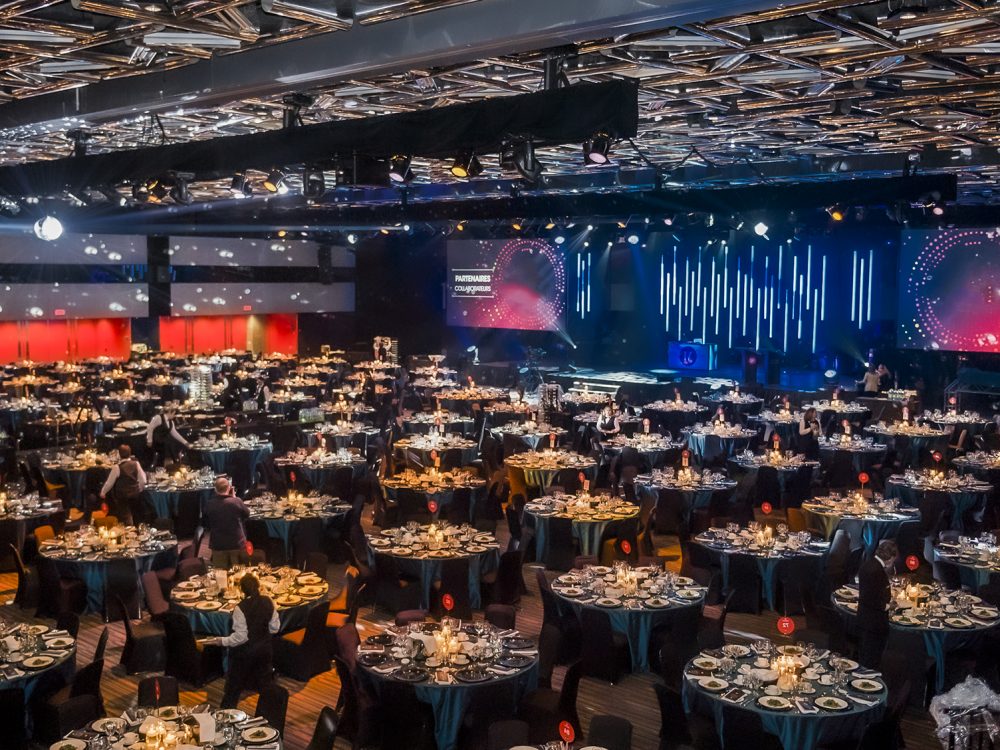
Palais des congrès de Montréal
The one venue here you don’t have to retrofit. The Palais has six simultaneous interpretation booths built into Level 3, the only built-in booths in any Quebec venue. In practice the gear inside them is dated, so AV companies tend to use the physical booth and install their own equipment, or skip the back-of-room booths altogether and set up portable booths closer to the stage to avoid running cables the length of the hall. Either way, the room can take simultaneous interpretation without retrofitting, which is rare.
A TripAdvisor reviewer who attended a 1,000-person conference described a crowd of “some French speaking, some English speaking,” with staff so accommodating they learned attendees’ names within a few days.
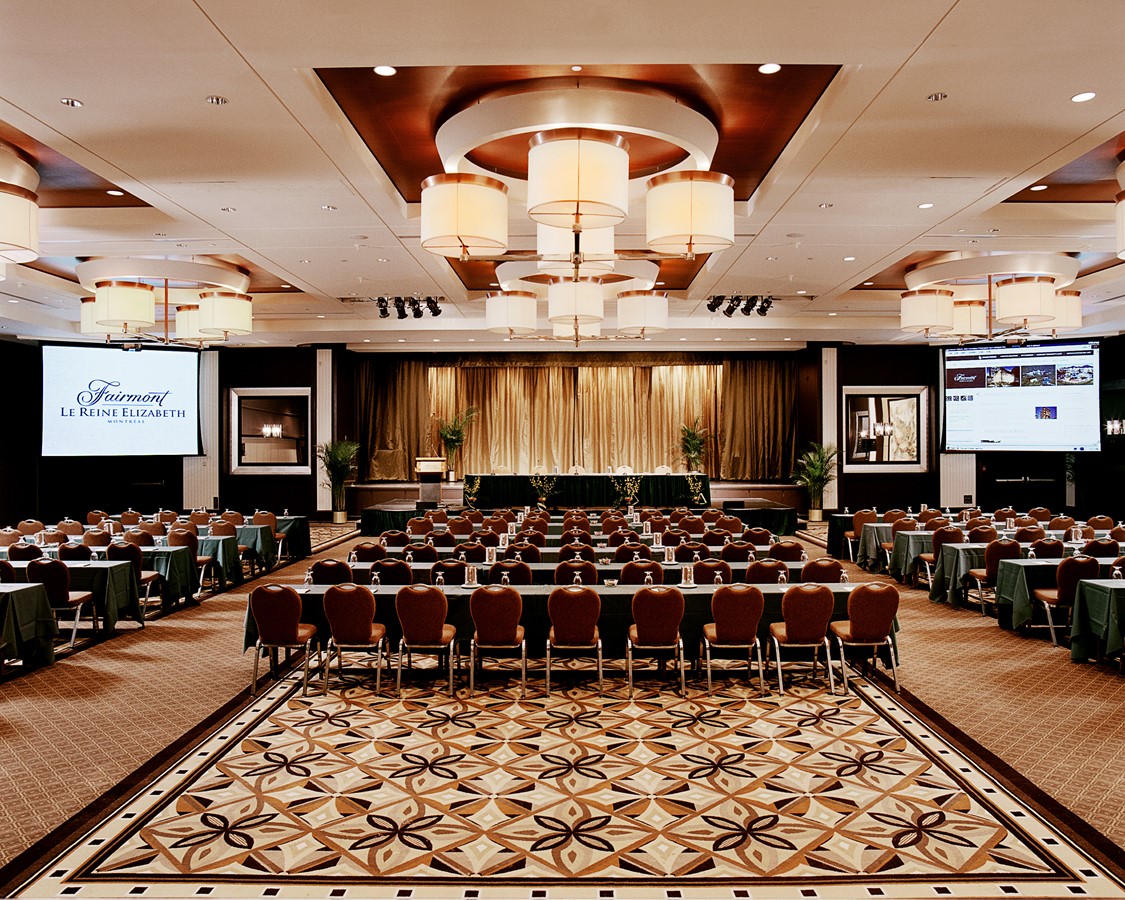
Fairmont The Queen Elizabeth
Built for meetings, with rooms that divide and combine. The Queen Elizabeth’s Centre-Ville space scales to 600 guests behind a 32-foot retractable screen, and the hotel sits directly above Central Station with an underground link to the Palais des congrès. No booths of its own, so interpreting comes in, but the divisible rooms give you the breakout space a relay setup needs.
One guest who stayed five nights for a conference said in an online review that the “audio video setups were very good,” though a few reviewers find it more of a functional conference hotel than a grand one. (Trivia your delegates might like: this is where John Lennon and Yoko Ono held their 1969 Bed-In.)
Le Centre Sheraton Montréal
A downtown workhorse by the Bell Centre. Le Centre Sheraton has 825 rooms and more than 40,000 square feet of event space across 33 rooms, anchored by a 13,000-square-foot Grand Ballroom with two more ballrooms behind it. It sits steps from the Peel and Bonaventure metros, so a bilingual crowd coming from across the island lands easily. Interpreting is brought in.

Montréal Science Centre
For something other than a ballroom. The Science Centre at the Old Port rents 24,000 square feet of configurable hall space for 50 to 1,000 guests, with the river and the skyline through the windows. It is a federal Crown-corporation venue, so it operates in both languages as a matter of course, and it won a 2023 provincial accessibility award for its work on universal access. Booths and interpreters need to be brought in.
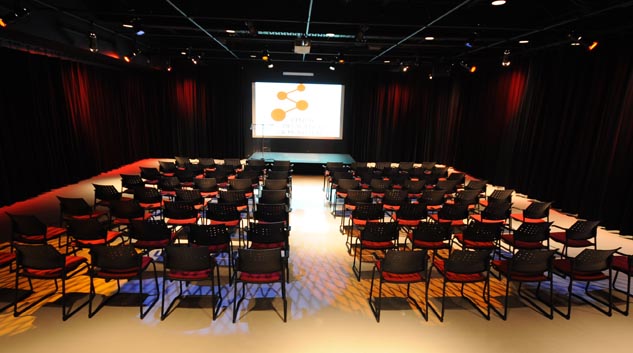
McGill University
McGill’s downtown campus has everything from boardrooms to auditoriums open to outside bookings, a real option for a bilingual event that wants a central university setting. One caveat: at the time of writing, McGill’s Conference Services was reviewing its operations and had paused new booking requests, so confirm current availability on their site before you build a plan around it. AV is arrangeable; interpreting is separate.
Quebec City venues for bilingual events
Centre des congrès de Québec
38 meeting rooms with free wired and wireless internet throughout, LEED and AIPC Gold certified, and a broadcast room set up for hybrid events. The detail that matters for interpreting: the center’s permanent in-house AV partner, Encore, is described on its own site as the largest simultaneous-interpretation technical firm in Canada and a federally accredited supplier. The equipment side is handled in the building; the interpreters are still your booking.
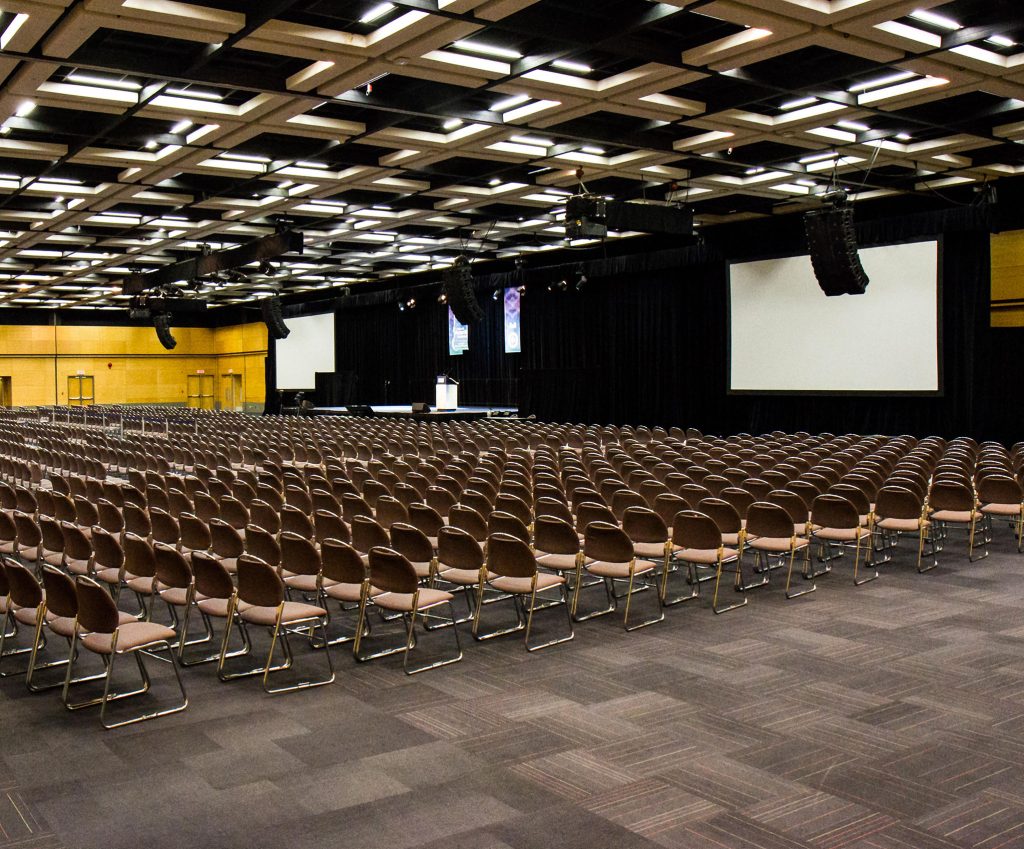
Fairmont Le Château Frontenac
The Quebec City landmark, and a room with form for this kind of work. The Château has over 40,000 square feet across 23 meeting rooms for groups up to 600, with a 6,000-square-foot ballroom and a built-in stage. The Salon Rose, in the main turret, is where Churchill and Roosevelt sat down with Mackenzie King for the Quebec Conferences of 1943 and 1944, wartime summits that ran on their own interpreters.
One online reviewer who held a meeting in the hotel’s wine cellar said the meeting rooms have “tons of charm” and called it a great spot for a conference. An on-site AV company handles the technical side; interpreting comes in.

The Gatineau side of the river
The Gatineau side of the river puts you minutes from downtown Ottawa while keeping your event on a Quebec address. Federal events there also carry duties under the Official Languages Act, which makes English-and-French service a legal requirement rather than a courtesy.
Palais des congrès de Gatineau
12 pillar-free conference rooms over 5,100 m², the only multipurpose complex in the Outaouais, publishing its room capacities in a bilingual chart. The Palais de Gatineau sits across the river from downtown Ottawa and minutes from the Canadian Museum of History, which makes it the natural pick for a federal or bilingual event that wants a Quebec address. Interpreting comes in through its AV partners or you can book it yourself separately.

Hilton Lac-Leamy
Gatineau’s only five-star hotel, with more than 50,000 square feet of event space. Hilton’s own site lists multilingual staff and AV rental, and its 16 modular rooms scale from a 20-person board meeting to a 1,600-person conference, with a 1,100-seat theater attached, five minutes from downtown Ottawa. The Hilton hosts congresses constantly, and one attendee after a three-day conference said it “blew away my expectations.”
One caveat: someone who reviewed this venue online mentioned they were relocated to a nearby hotel the night before a conference, so confirm your block directly. Booths and interpreters are a separate booking.
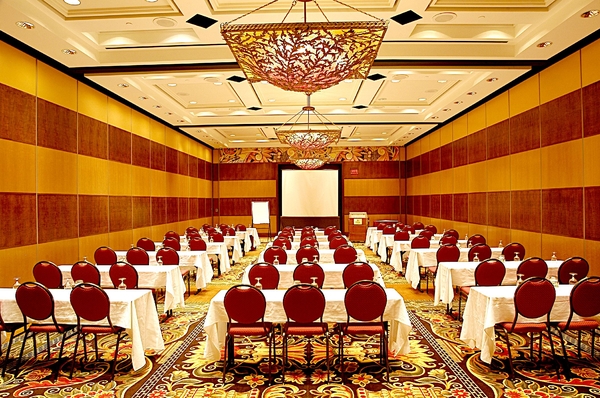
Canadian Museum of History
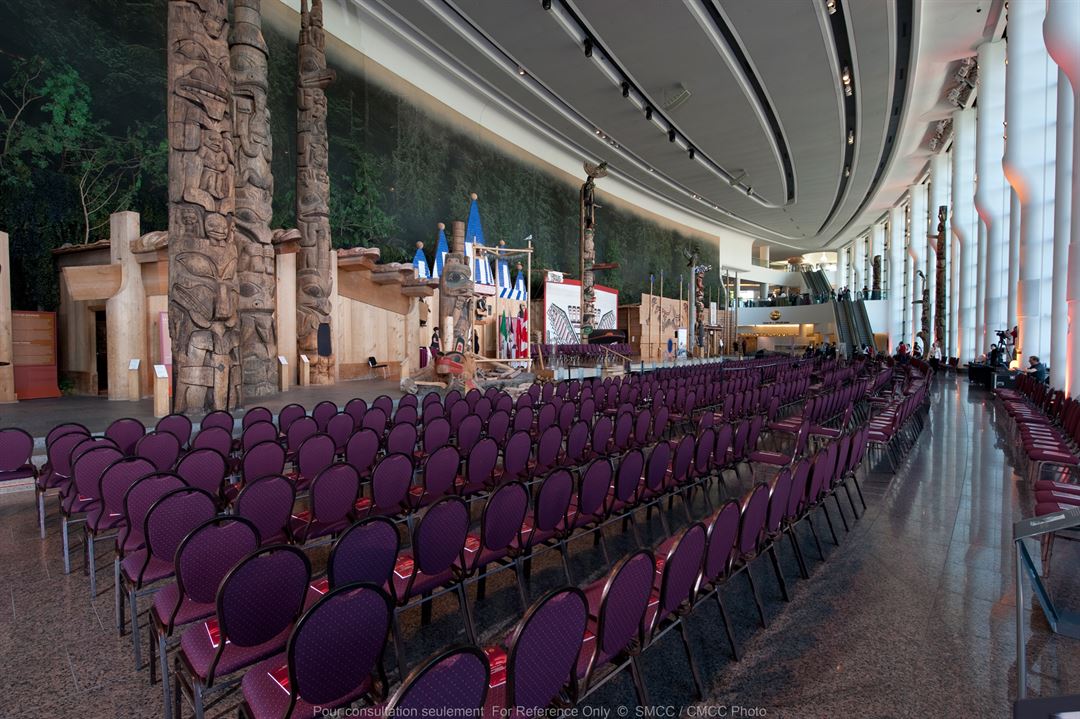
A federal landmark you can actually host in. The Museum’s Grand Hall seats 600 for dinner or holds 1,000 for a reception, with a built-in stage and permanent sound and lighting, facing the Ottawa River and Parliament Hill. Visitors call the Hall “awe-inspiring,” and your guests dine under the world’s largest indoor collection of totem poles with Parliament lit up through the window.
The museum is federal and bilingual, and its own rental pages list simultaneous interpretation as an add-on you arrange through an outside provider, so the venue tells you in writing that the interpreting is on you.
More venues across Quebec
Sheraton Laval
A $20-million renovation reopened the Sheraton Laval’s convention center in 2022 with 45,000 square feet for events, 22,000 of it fully modular behind removable glass partitions and moving walls. Those partitions earn their keep for interpreting, since they give you clean breakout and relay rooms off the main hall. A returning guest said of the refresh, “what an upgrade in the lobby,” and noted rooms of different sizes for different meetings.
The odd weekend gets noisy from sports tournaments. Twenty minutes from downtown Montreal, with an in-house AV team. Interpreting comes in.

Delta Hotels Sherbrooke
The main conference hotel in the Eastern Townships, with around 17 meeting rooms and a largest space seating up to roughly 1,150. The Delta sits midway between Montreal and Quebec City and close to the Vermont border, which makes it a sensible base for an event drawing a French-and-English crowd from both sides of the line. A conference guest singled out the staff as “always smiling.” Interpreting is a separate booking.

CECi, Trois-Rivières
The Centre d’Événements et de Congrès Interactifs, attached to the Delta Trois-Rivières, sits halfway between Montreal and Quebec City. CECi offers close to 50,000 square feet across three multipurpose halls and 24 specialized rooms, the largest holding up to 1,600. Its adjustable walls and built-in interactive videoconferencing make it a strong pick for a hybrid bilingual event in central Quebec.
A conference attendee wrote an online review where they summed up the stay simply: “nice hotel with great view.” Booths and interpreters come in.

Resort venues for an offsite or retreat
Not every bilingual event wants a downtown ballroom. For a board retreat or an incentive trip, two Fairmont resorts put a meeting an hour or two outside the cities, with the room set up the same way: the space and AV on site, the interpreting brought in.
Fairmont Le Manoir Richelieu
A cliffside resort in La Malbaie, in the Charlevoix region, looking out over the St. Lawrence River where it widens toward the estuary. The Manoir Richelieu runs conference and banquet space and connects to the Casino de Charlevoix, which makes it a self-contained spot for a multi-day offsite about ninety minutes east of Quebec City. Booths and interpreters come in.
Fairmont Tremblant
At the foot of Mont-Tremblant, in the pedestrian resort village an hour and a half north of Montreal. Fairmont Tremblant is a ski destination in winter and a hiking and watersports base the rest of the year, with meeting space for groups that want sessions in the morning and the mountain in the afternoon. Interpreting is a separate booking.
What the venue won’t give you
Across all 13, the same thing repeats: the venue stops at the room. Even the Palais, with its booths built in, doesn’t staff them. For a bilingual event you are arranging a few things no venue on this list will hand you:
- Interpreters qualified in your language pair, booked early, because the pool of conference interpreters in Canada is small.
- A booth and receivers wherever the venue has none, set up to standard so the audio stays clean.
- Remote simultaneous interpretation if part of your audience joins online, which leans on the venue’s wired internet holding up. Our guide to hybrid events with interpretation covers that setup.
- LSQ interpreting and captions for Deaf participants, planned as their own service rather than folded into the spoken-language booking.We make the case for sign language at events separately.
Pulling those pieces together is what UNLS does for event planners across Canada, alongside whichever venue you pick.
Get the interpreting handled
Choose the venue that fits, and let UNLS handle the part it leaves out: the interpreters and the equipment in the booth, matched to your room and your dates, anywhere in Quebec and across Canada. Tell us what you are arranging and we will fit the language side to it. Get in touch.
Frequently asked questions about bilingual event venues in Quebec
Which Quebec venue has its own interpretation booths?
The Palais des congrès de Montréal, with six simultaneous interpretation booths built into Level 3. It is the only venue in this roundup with booths in place. Everywhere else, booths are brought in as part of the interpreting setup.
Do hotels and convention centers in Quebec provide interpreters?
No. They rent the room and the AV, and the interpreters and booths are booked separately through a language services provider. Some venues, like the Centre des congrès de Québec, have an on-site AV partner who can supply booth equipment, but the interpreters themselves are still your own booking.
Where should I host a bilingual event near Ottawa?
On the Quebec side, in Gatineau. The Palais des congrès de Gatineau and the Hilton Lac-Leamy both sit minutes from downtown Ottawa across the river, and the Canadian Museum of History faces Parliament Hill from the same side. All three put a bilingual federal event on a Quebec address without a long trip from the capital.
Does a Quebec venue have to provide service in French?
Quebec’s Charter of the French language shapes public-facing events, so French signage and materials are expected, and federal events also fall under the Official Languages Act. The venue runs its own French operations. Your program’s French-to-English interpreting is a separate thing you arrange yourself.
How far ahead should I book interpreters for a venue?
As early as you book the venue. Qualified conference interpreters are a small pool in Canada, and the booth equipment and any remote setup need lead time, so line up the language side when you lock the date.
Author: Brian Bickford
Brian Bickford is the founder of UN Language Services, a leading provider of language solutions in Canada. With over two decades of experience in the industry, Brian has helped governments, unions, NGOs, and event planners overcome language barriers through expert interpretation, translation, and consulting. As a former freelancer turned entrepreneur, he remains committed to quality, client satisfaction, and empowering interpreters at every stage of their careers.
For a small event with a portable system, expect to spend CAD $500 to $2,000 in interpretation equipment. A medium-sized conference with booths and technicians runs CAD $3,000 to $10,000. Large multilingual conferences typically cost CAD $15,000 to $50,000 or more. Major international events with multiple languages and full AV integration can exceed CAD $100,000.
Those ranges cover the rental cost only. Interpreter fees are separate and typically run CAD $600 to $1,200 per day per interpreter, with two interpreters required per language pair. This post breaks down what drives the cost, what’s included in a rental, when it makes sense to buy instead, and what to watch for in contracts.
What’s included in a typical rental?
A rental package from a professional provider usually includes the equipment itself plus delivery and setup, with on-site technical support during the event. But what exactly falls into “the equipment itself” varies, and this is where quotes get confusing.
Essential components (always needed)
Every interpretation setup requires these at minimum:
- Transmitters that send the interpreter’s audio to the audience. The most commonly used model in Canada is the Williams Sound T-500.
- Receivers for each audience member who needs interpretation. The number is tied directly to how many people will be listening, plus a 10-15% buffer for replacements and latecomers.
- Headsets for each receiver. Standard over-the-head headphones for both ears are most common at conferences. One-ear headsets or personal headphone jacks are available on request.
That’s the minimum viable setup. It works for small group meetings and guided tours where the interpreter stands near the speaker and uses a portable system.
Premium or optional components
Larger events add these:
- Soundproof interpretation booths (portable or fixed). These meet ISO 4043 for mobile booths or ISO 2603 for permanent installations. You need one booth per outgoing language.
- Interpreter consoles with built-in microphones and channel selectors, plus volume controls for fine-tuning audio levels. Most consoles come paired with the microphones designed for that system.
- Amplifiers for larger rooms where the signal needs to reach further.
- On-site technicians to handle setup and live monitoring, plus troubleshooting if something goes wrong during the event.
The jump from a portable system to a full booth setup is where costs increase significantly. A portable kit for 30 people might cost $800. Add two booths and consoles plus a technician for a 200-person conference and you’re looking at $8,000 or more.
How does event size affect the cost?
The questionnaire responses from our equipment team give a clear picture of how costs scale in the Canadian market:
| Event size | Typical budget (CAD) | What’s usually needed |
|---|---|---|
| Small (under 50 people, one language pair) | $500 to $2,000 | Portable system: transmitter, receivers, headsets. No booth. |
| Medium (50 to 300 people, one to two language pairs) | $3,000 to $10,000 | Booths, consoles, receivers with buffer, one to two technicians. |
| Large (300+ people, two to four language pairs) | $15,000 to $50,000+ | Multiple booths, full receiver distribution, two to six technicians, backup equipment. |
| Major international conference | $100,000+ | Full AV integration, multiple booth clusters, relay setup, dedicated tech team. |
How many technicians do you need?
Technician costs are often the part of the quote that surprises people. But skipping technicians is risky because venue AV teams are rarely trained in multi-channel interpretation systems.
| Event size | Technicians needed |
|---|---|
| Under 100 people | Zero to one (on call) |
| 100 to 500 people | One to two |
| 500+ people | Three to six or more, with separate staff for audio support and receiver distribution |
Technician day rates in Canada typically run CAD $250 to $500 per person. Overtime is usually billed on top of that, so confirm how overtime is calculated before signing.
Does room size change the equipment decision?
Yes, and it affects cost. The two main transmission technologies have different strengths:
- Infrared (IR) systems work best in smaller indoor venues. They provide better sound quality when installed properly and are more secure because the signal doesn’t pass through walls. However, they require line of sight between the transmitter and receiver, and every physical obstacle creates interference. Each infrared radiator covers a limited area, so larger rooms need more of them, which adds cost.
- Radio frequency (RF) systems are better for large spaces, high-ceiling conference rooms, and venues with heavy foot traffic. The signal passes through walls and obstacles, which means fewer units are needed to cover the same area. RF is more expensive per unit because of the hardware, but for a big room it can be cheaper overall than blanketing the space with IR radiators.
The range on most portable RF systems is about 200 feet. Anyone with a receiver within that distance will hear the interpretation clearly. Beyond 200 feet, or if there are physical obstacles in the way, interference becomes a problem.
For more detail on how IR and RF systems compare and when to use each, see our complete guide to interpretation equipment rental.
Should you rent or buy?
For most organizations, renting is the better choice. Here’s when each option makes sense:
Renting makes sense when:
- Your events are infrequent (a few times per year or less)
- Your equipment needs change from event to event (different languages, different venue sizes)
- You want technicians included in the package
- Your budget approval process is short-term or project-based
- You need backup equipment guarantees without carrying your own inventory
Buying makes sense when:
- You run multilingual events frequently enough that the math favours ownership (courts, tribunals, hospitals, universities, conference centres)
- Your setup is consistent from event to event
- You have staff trained to operate the equipment
- You have storage space and a maintenance plan
The break-even point depends on how often you use the equipment and what kind of setup you need. A set of portable transmitters and receivers for a small meeting room might pay for itself in a year if you use it weekly. A full booth system with consoles almost never makes financial sense to buy unless you’re a permanent conference venue.
What should you watch for in a rental contract?
Rental contracts for interpretation equipment are usually straightforward, but a few points are worth checking before you sign.
Damage and loss responsibility
The standard split is:
- Client is responsible for loss and theft, plus any damage caused by attendees
- Vendor is responsible for normal wear and equipment failure
This should be spelled out clearly in the contract. If it’s not there, ask for it in writing.
Insurance requirements
Canadian procurement teams and venues often require:
- $2 to $5 million in general liability insurance
- Equipment insurance covering the rental value
- Workers’ compensation for on-site technicians
- Errors and omissions coverage (sometimes required for government contracts)
Ask your provider what insurance they carry and whether your organization needs to add anything on your side.
Common disputes over rented equipment
The issues that come up most often between clients and equipment providers:
- Disagreements over what counts as damage versus normal wear
- Missing equipment at the end of the event (receivers that walked off with attendees)
- Overtime technician fees that weren’t discussed upfront
- Last-minute changes to the setup that trigger additional charges
- Cancellation timelines and penalties
- Backup expectations that weren’t clearly documented
Most of these are preventable by getting the details in writing before the event. On a public-sector contract, the place to settle them is the tender document, and our guide to writing an RFP for interpretation services works through the clauses that cause the most trouble after award. If the quote says “technician support included,” confirm how many hours that covers and what happens if the event runs late.
What do buyers ask for when renting equipment?
If you are renting equipment for a government or institutional event, these are the requirements that come up consistently.
- CSA or equivalent electrical safety compliance
- Accessibility standards (AODA in Ontario, official languages requirements federally)
- Reliability and redundancy plans (what backups are in place)
- Experience with similar events (references)
- Proof of insurance
- Pricing transparency with daily rates and overtime rates, plus replacement costs if equipment is damaged
- Service support details (number of on-site technicians, response time for issues)
- Data security for digital and IR systems
For more on Canadian procurement requirements specifically, see our post on procurement requirements for interpretation equipment.
What backup equipment should be in place?
Professional providers should carry backup inventory to every event. At minimum, ask about:
- Spare receivers and headsets (at least 10-15% above your headcount)
- A backup transmitter
- Extra batteries and chargers
- Redundant audio feeds
- A secondary interpreter console for large events
If something fails mid-event, the provider should be able to swap equipment immediately without interrupting the interpretation. Ask how they handle equipment failure during live events before you sign the contract. For real examples of what goes wrong and how to prepare, see our post on what happens when interpretation equipment fails.
Get a quote from UNLS
We rent interpretation equipment for events across Canada, from portable systems for 30-person meetings to full booth setups for 500+ person conferences. Equipment comes with delivery, setup, on-site technicians, and backup inventory. We also provide the interpreters, so you’re working with one provider for both the people and the gear.
Get in touch and tell us your event date, venue, audience size, and languages. We’ll send you a quote within 24 hours.
Frequently asked questions
Does the rental price include interpreters?
No. Equipment rental and interpreter services are separate costs. Some providers (including UNLS) offer both, which simplifies coordination, but they’re always quoted as separate line items. For interpreter pricing, see our post on how to budget for interpreting.
How far in advance should I book equipment?
For a standard bilingual event, four to six weeks is comfortable. For large conferences with multiple languages and full booth setups, start at eight to twelve weeks. High-quality portable booths and experienced technicians book up fast, especially during conference season (September through November and April through June).
Can I rent equipment without technicians?
Some providers allow it, but it’s risky unless you have trained staff who know interpretation systems specifically. Venue AV teams can usually handle microphones and projectors, but multi-channel interpretation systems require specialized knowledge. For events with more than 50 attendees or more than one language pair, an on-site technician is worth the cost.
What’s the cheapest setup that still works?
A single portable transmitter with a set of receivers and headsets. No booth, no technician, no console. This works for small group meetings and guided tours where the interpreter stands close to the speaker. Expect to pay CAD $500 to $1,000 for a day. Anything larger than about 50 people or more than one language pair needs a more substantial setup.
Author: Brian Bickford
Brian Bickford is the founder of UN Language Services, a leading provider of language solutions in Canada. With over two decades of experience in the industry, Brian has helped governments, unions, NGOs, and event planners overcome language barriers through expert interpretation, translation, and consulting. As a former freelancer turned entrepreneur, he remains committed to quality, client satisfaction, and empowering interpreters at every stage of their careers.
Remote simultaneous interpretation (RSI) platforms let interpreters work from any location and deliver real-time translation to attendees through a web browser or mobile app. The five platforms most commonly used for conferences and meetings in 2026 are Zoom, Microsoft Teams, KUDO, Interprefy, and Interactio. Each handles interpretation differently, and the right choice depends on your event format, how many languages you need, whether you’re bringing your own interpreters, and what your attendees are already using.
This guide compares all five of the features that matter most to event organizers, with a focus on what works for Canadian conferences where English-French interpretation is the baseline and additional community languages are often needed.
What is RSI and how does it work?
RSI routes the interpreter’s audio to attendees through the internet rather than through physical equipment in the room. The interpreter listens to the speaker through a platform, translates in real time, and their audio reaches the attendee’s device on a separate language channel. Attendees select their preferred language from a menu and listen through headphones or earbuds.
For in-person events, RSI can replace traditional booth-and-receiver setups entirely (attendees listen on their phones) or work alongside on-site equipment through hybrid configurations. For virtual events, RSI is built into the video call. For a full breakdown of how RSI fits alongside other interpreting modes, see our interpreting services page.
RSI vs traditional on-site interpretation
The practical difference comes down to where the interpreter sits and how the audio gets to the listener. In a traditional setup, interpreters work inside soundproof booths at the venue, and attendees pick up wireless receivers from a distribution table. In an RSI setup, interpreters can be anywhere with a stable internet connection, and attendees listen on their own devices.
What stays the same in both setups:
- You still need two interpreters per language pair (they rotate every 20 to 30 minutes to maintain accuracy)
- The interpreters still need to hear the speaker clearly and see any slides or visuals
- Attendees still select their language channel and hear the interpretation in real time
- For events with more than two languages, you may still need relay interpretation (where one interpreter listens to another interpreter’s output rather than the original speaker)
What changes with RSI:
- No physical booths, receivers, or on-site AV technicians needed for fully virtual events
- Interpreters can be sourced from anywhere, not just your local market
- Attendees use their own phones or laptops instead of rented receivers
- Audio quality depends on internet connections rather than radio frequency equipment
- For hybrid events, you may still need some on-site interpretation equipment alongside the RSI platform
Quick comparison: platform type and language support
Before getting into the details of each platform, here’s how they stack up on the two things that matter most: what kind of platform it is, and how many languages it supports.
| Platform | Type | Languages (human) | AI translation | BYOI |
| Zoom | Video conferencing + interpretation add-on | 9 default + up to 25 custom (max 5 custom active per session) | Captions in 36 languages | Yes |
| Microsoft Teams | Video conferencing + interpretation add-on | Up to 16 language pairs | AI Interpreter Agent in 9 languages (Copilot license required) | Yes |
| KUDO | Dedicated RSI platform | 200+ spoken and sign languages | Speech translation in 60+ languages | Yes |
| Interprefy | Dedicated RSI platform | Any language (no limit) | Speech translation in 60+ languages | Yes |
| Interactio | Dedicated RSI platform | Unlimited | Not a core feature | Yes |
Sources: Zoom support documentation, Microsoft Teams interpretation documentation, KUDO pricing and features, Interprefy RSI solution, Interactio features.
All five platforms support BYOI (bring your own interpreters), which means your LSP or your in-house team can provide the interpreters. KUDO, Interprefy, and Interactio also offer their own interpreter sourcing if you need it, but you’re never locked into using their interpreters.
When does Zoom’s built-in interpretation work well enough?
Zoom’s interpretation feature is the most widely available option because most organizations already have Zoom licenses. It works for straightforward bilingual meetings where the audience is already on Zoom and you don’t need advanced interpreter tools.
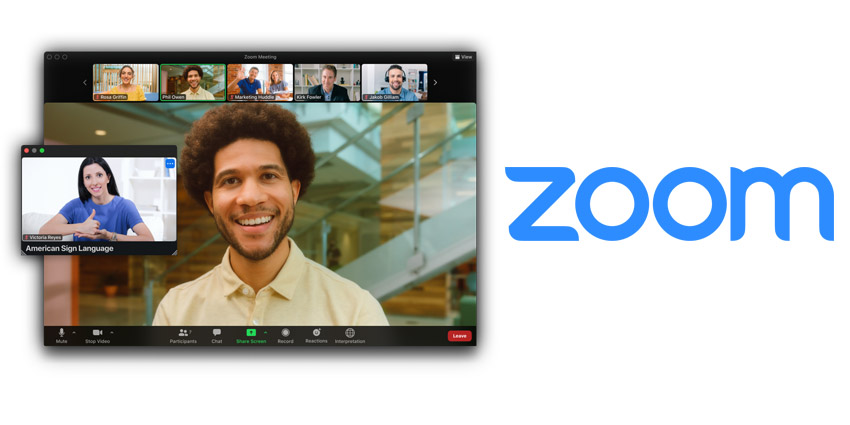
The setup is simple. The meeting host enables interpretation when scheduling, assigns interpreters to language channels, and attendees select their channel during the meeting. Zoom offers nine default languages for interpretation channels: English, Spanish, French, German, Portuguese, Japanese, Russian, Korean, and Chinese. You can add up to 25 custom languages in your account settings, though only five custom languages can be active in a single session alongside the defaults.
For a bilingual English-French meeting (the most common configuration for Canadian government and union events), Zoom handles the basics without any additional cost beyond a Pro license.
Where Zoom falls short for conference interpreters
Zoom wasn’t designed as an interpretation platform, and professional interpreters notice the gaps quickly. The limitations that matter most:
- No booth partner audio. In a traditional booth, interpreters listen to each other to maintain consistency and coordinate handovers. On Zoom, interpreters can’t hear their partner’s output at all.
- No relay. If your Spanish interpreter doesn’t understand the Mandarin speaker, they can’t listen to the English interpreter’s rendition and relay from that. For a bilingual English-French event, this doesn’t matter. For a four-language conference, it’s a dealbreaker.
- No dedicated handover button. Interpreters switch by manually muting and unmuting, which creates brief gaps in the audio.
- Recordings capture only the original audio. The interpreted channels are not included in Zoom recordings. If you need a multilingual recording of your conference, you’ll need a separate solution.
- Max 20 interpreters per session. For events with many language pairs, this cap can become a constraint.
For a deeper look at what interpreters need to do their job well, see our post on confidentiality in interpreting, which also covers the working conditions that affect output quality.
What about Microsoft Teams?
Teams added language interpretation as a generally available feature in mid-2025. It supports up to 16 language pairs per meeting, and interpreters are assigned through the meeting options when scheduling. The experience for attendees is similar to Zoom: they select a language channel and hear the interpreter.
Organizations that already run everything on Microsoft 365 like Teams because there’s nothing new to procure. For bilingual internal meetings, it does the job.
The new AI Interpreter Agent
The headline feature for Teams in 2026 is the Copilot Interpreter Agent, which uses AI to provide speech-to-speech translation. Key details:
- Supports nine languages: English, Spanish, French, German, Italian, Japanese, Mandarin, Korean, and Portuguese
- Can simulate the speaker’s own voice in the translated output (voice simulation)
- Requires a Microsoft 365 Copilot license (~USD $30/user/month)
- Each user gets 20 hours of AI interpretation per month with that license
- Works for meetings with up to 1,000 participants
Voice simulation is genuinely impressive for internal meetings. Participants hear a version of the speaker’s actual voice in their language, which makes the experience feel more natural than listening to a separate interpreter. But it’s AI, so it still struggles with heavy accents, fast speech, overlapping speakers, and specialized vocabulary. For formal government proceedings or sensitive negotiations, human interpreters remain the standard.
Teams limitations for professional conference interpreting
Teams shares most of Zoom’s limitations for professional interpreters:
- No purpose-built interpreter console (interpreters use the standard Teams desktop client)
- No dedicated handover button, no booth partner audio, no interpreter-specific controls
- Desktop app only (interpreters can’t use the web client or mobile)
- Recordings don’t capture the interpreted audio
- Relay is not supported natively, though third-party integrations (like Interprefy’s “Inject” solution) can add it
- Breakout rooms don’t support interpretation
For larger conferences with multiple languages, a dedicated RSI platform is a better fit.
What do dedicated RSI platforms offer that Zoom and Teams don’t?
The three dedicated platforms (KUDO, Interprefy, Interactio) were built specifically for interpretation. The differences are significant enough that most professional conference interpreters prefer working on them.
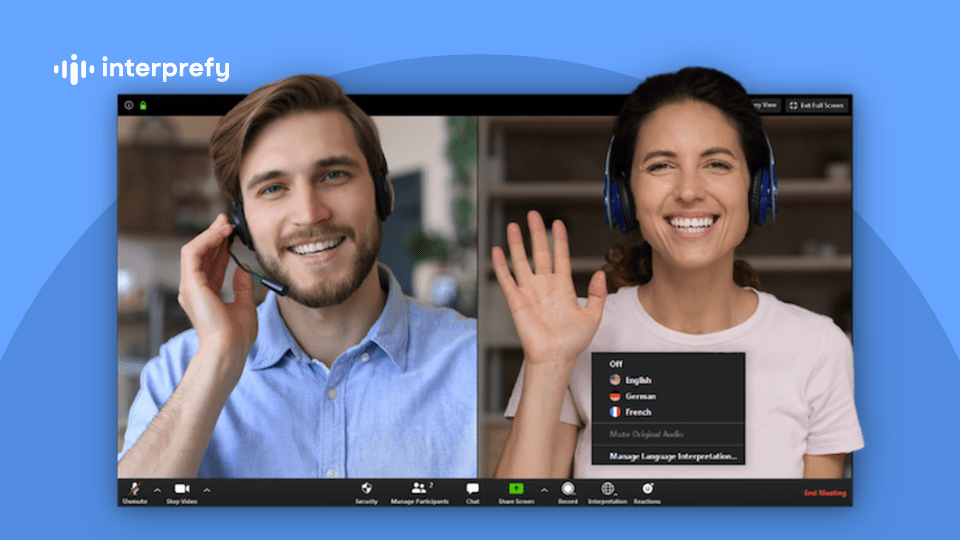
Purpose-built interpreter consoles
All three platforms provide a virtual interpreter console modeled on physical interpretation booths. What the console includes:
- Video feed of the speaker and any slides
- Booth partner audio (interpreters hear each other)
- One-click handover button for switching who’s active
- Relay channels (listening to another interpreter’s output to translate from a language you don’t speak directly)
- Chat between booth partners and with technical support
- Streaming timer showing how long the interpreter has been active
This is the working standard set by AIIC (the International Association of Conference Interpreters), and professional interpreters expect it. When interpreters have better tools, the quality of interpretation improves. That difference is audible to attendees, especially during long sessions or technically dense content.
Multilingual recordings
All three dedicated platforms can record each language channel separately, producing multilingual recordings of your event. This matters for:
- Post-event content distribution to multilingual audiences
- Compliance documentation for government proceedings
- Archival for organizations that need records in both official languages
- Repurposing conference content into multilingual on-demand video
Zoom and Teams only record the original audio, so you’d need to run a separate recording setup to capture the interpreted channels.
Hybrid event integration
Dedicated platforms are designed to bridge on-site and virtual audiences. Each handles this differently:
- Interactio uses Dante media networking to connect directly to on-site conference AV equipment. This is the same protocol used by professional AV installers, which makes Interactio particularly strong for hybrid events at established conference venues that already have interpretation hardware in place.
- KUDO integrates with on-site setups through its platform and supports connections with major event platforms like ON24, Hopin, Bizzabo, and EventMobi.
- Interprefy offers an “Inject” integration that overlays its interpretation tools onto Zoom or Teams meetings, plus direct integration with Webex and Google Meet. They also provide end-to-end project management and post-event media services (edited recordings with translated audio and subtitles).
For events where some attendees are in the room with traditional receivers and others are joining remotely, this bridging capability is what separates dedicated RSI platforms from Zoom and Teams.

Platform-agnostic flexibility
You don’t have to abandon your existing video platform to use a dedicated RSI tool. KUDO integrates with Zoom, Teams, ON24, Hopin, Bizzabo, EventMobi, and others. Interprefy’s “Inject” integration overlays onto Zoom or Teams. Interactio works with Zoom, Teams, and Webex. This means you can keep your existing video platform and add professional interpretation on top.
How do the three dedicated platforms differ from each other?
While KUDO, Interprefy, and Interactio share the core RSI features described above, each has a distinct focus.
| Feature | KUDO | Interprefy | Interactio |
| Strongest use case | Organizations that want both AI and human interpretation in one platform | Enterprise events needing end-to-end project management | Hybrid events with on-site AV equipment integration |
| Interpreter network | 12,000+ interpreters across 200+ languages | Global network (size not published) | Certified interpreters on platform database |
| AI capabilities | AI speech translation in 60+ languages with glossary management and voice cloning | AI speech translation in 60+ languages | Not a core AI feature |
| Notable clients | Corporate enterprises, associations | Corporate enterprises, global organizations | European Parliament, European Commission, United Nations, TEDx |
| Platform integrations | Zoom, Teams, ON24, Hopin, Bizzabo, EventMobi, Hubilo | Zoom, Teams, Webex, Google Meet | Zoom, Teams, Webex, Hopin |
| Hybrid hardware integration | Via platform + on-site AV | Via platform + on-site AV | Dante media networking (direct hardware integration) |
| Security | ISO 27001, SOC 2 Type 2 | ISO 27001 | ISO 27001, 12+ certifications |
Sources: KUDO pricing and features, Interprefy RSI solution, Interactio G2 reviews, Interactio features.
If your priority is AI translation capabilities with the option to add human interpreters when needed, KUDO has the most developed AI offering, including glossary management that lets you customize how the AI handles industry-specific terminology. If your priority is having a dedicated project manager handle the logistics end-to-end, Interprefy positions itself as a full-service partner rather than just a tool. If your priority is tight hybrid integration with physical conference infrastructure, Interactio’s Dante networking is the strongest option.
Which platform is best for Canadian government events?
Canadian government events have specific requirements that narrow the options. Federal events almost always need English-French simultaneous interpretation as a baseline under the Official Languages Act. Public consultations may add community languages (Arabic, Mandarin, Punjabi, and others depending on the population served). Accessibility legislation may require sign language interpretation and captioning alongside spoken-language interpretation.
For a deeper look at who needs what under Canadian law, see our guide on how to build a language access plan.
What to evaluate for government procurement
When evaluating RSI platforms for Canadian government use, these are the criteria that come up most often:
- Data residency. Where is the audio processed and stored? Canadian federal departments may require data to stay in Canada under PIPEDA. Ask the platform vendor directly about their data residency options, because not all platforms offer Canadian data centers.
- French-Canadian language support. Does the AI translation distinguish between Canadian French and France French? Not all AI engines do. For human interpretation, this depends on the interpreter, not the platform, but make sure the platform’s interface is available in French.
- Sign language support. Can the platform display a sign language interpreter’s video feed alongside the main content? KUDO and Interactio both support dedicated sign language channels. For more on sign language at events, see our post on the case for sign language interpreters at events.
- BYOI (bring your own interpreters). Government departments may have preferred interpreters with security clearances. All five platforms support BYOI, but the dedicated platforms make it easier to manage interpreter assignments across multiple language pairs.
- Procurement compatibility. Can the vendor respond to a Canadian government RFP? Dedicated RSI vendors typically can. If you are the one writing that RFP, our guide to writing an RFP for interpretation services covers what belongs in it. For more on government procurement of language services, see our government industry page.
For government events that need more than English-French, a dedicated RSI platform (KUDO, Interprefy, or Interactio) is the safer choice because of their support for unlimited languages and relay interpretation, plus purpose-built interpreter consoles that professional interpreters expect.

How much do RSI platforms cost?
Pricing varies by platform and event size, and also depends on whether you’re bringing your own interpreters or sourcing them through the platform. Here’s the general structure:
| Platform | Platform cost | What’s included |
| Zoom | Included with Pro plan (~USD $13/month per user) | Interpretation feature only. You source interpreters separately. |
| Microsoft Teams | Included with Teams. AI features require Copilot (~USD $30/user/month). | Human interpretation feature included. AI interpretation included with Copilot (20 hrs/month). |
| KUDO | Pay-as-you-go or annual subscription. Custom quotes for events. | Platform, optional interpreter marketplace, AI translation, multilingual recordings, tech support. |
| Interprefy | Custom quotes per event or subscription. | Platform, optional interpreter sourcing, AI speech translation, project management, post-event media. |
| Interactio | Custom quotes per event. | Platform, optional interpreter sourcing, Dante integration, tech support, analytics. |
The interpreter cost is separate from the platform cost
The platform is only part of the equation. Professional conference interpreters in Canada typically charge CAD $600 to $1,200 per day depending on the language pair and subject matter. You need two per language pair, and they rotate every 20 to 30 minutes to maintain accuracy over long sessions.
A typical bilingual English-French event with two interpreters for a full day costs roughly CAD $1,200 to $2,400 in interpreter fees alone. A four-language event (English, French, Spanish, Mandarin) would need eight interpreters (two per pair), putting the interpreter cost at CAD $4,800 to $9,600 for a full day, before platform fees.
For a detailed breakdown of interpreting costs, see our post on how to budget for interpreting.
RSI vs traditional on-site interpretation: cost comparison
If you’re comparing RSI against traditional on-site interpretation with booths and equipment, RSI typically saves 30% to 40% on the equipment and logistics side. Here’s where the savings come from:
- No physical interpretation booths to rent and install (a significant expense for multi-day events)
- No wireless receivers to rent, distribute, and collect
- No on-site AV technicians dedicated to interpretation equipment
- No interpreter travel or accommodation costs if they work remotely
The interpreter fees stay roughly the same whether they’re in a physical booth or working remotely on an RSI platform. For more on traditional equipment setups and costs, see our equipment rental guide.
How should you decide?
Start with your event format and work backward.
If your event is a small internal meeting (under 30 people, one language pair): Use whatever platform your team already uses. Zoom or Teams will handle bilingual English-French interpretation without any extra cost or setup beyond assigning interpreters.
If your event is a large conference or public consultation with multiple languages: Use a dedicated RSI platform. The interpreter console and relay support alone justify the additional cost, and you also get multilingual recordings. If your event has a hybrid component with on-site equipment, Interactio’s Dante integration is worth evaluating.
If your event requires AI translation for lower-stakes sessions alongside human interpreters for high-stakes plenary sessions: KUDO and Interprefy both offer hybrid AI + human setups where you can use AI for breakout sessions and live interpreters for the main stage. This can significantly reduce costs for multi-track conferences.
If you’re an LSP or event organizer bringing your own interpreters: All five platforms support BYOI, but the dedicated platforms give your interpreters better tools. Check with your interpreter team before committing to a platform. Most conference interpreters have experience with KUDO, Interprefy, or Interactio and may have a strong preference based on the console layout or the reliability of the handover function.
If you’re running a hybrid event with both in-room and remote attendees: Interactio’s Dante integration is the strongest option for bridging on-site AV with remote participants. KUDO and Interprefy also support hybrid setups, but Interactio was built with this use case at the center.
For a broader look at how RSI fits into multilingual event planning (including timelines, speaker prep, accessibility, and post-event content), see our multilingual conference planning guide.
Work with UNLS on your next RSI event
We provide interpreting for virtual, hybrid, and in-person conferences across Canada. We work with all major RSI platforms and bring our own interpreters to whichever one fits your event. Whether you need English-French for a federal consultation or four languages for an international summit, we handle the platform setup and interpreter coordination, with technical support throughout.
Get in touch and we’ll recommend the right platform and setup for your event.
Frequently asked questions about RSI platforms
Do I need a dedicated RSI platform if I already have Zoom?
For a bilingual meeting with one language pair, Zoom’s built-in interpretation works. For conferences with more than two languages, or for events where your interpreters need relay, handover, or booth partner audio, a dedicated platform is worth the investment. The quality of interpretation improves when interpreters have better tools, and attendees notice the difference during long or complex sessions.
Can my interpreters use any RSI platform, or do they need training?
Most professional conference interpreters are familiar with KUDO, Interprefy, and Interactio. If your interpreters haven’t used a specific platform before, a 30-minute orientation session before the event is usually enough. Interpreters working on Zoom or Teams for the first time should also get a walkthrough, since those platforms lack some features interpreters expect (like the handover button or booth partner audio).
Does RSI work for in-person events where attendees are in the room?
Yes. Attendees can listen to interpretation on their smartphones using the platform’s mobile app or a QR code link. This can replace traditional wireless receivers entirely, or you can run RSI alongside physical equipment for a hybrid setup. Interactio’s Dante integration is specifically designed for bridging RSI with on-site conference hardware. For more on how to set up the on-site equipment side of things, see our equipment rental page.
Is AI interpretation good enough to replace human interpreters?
For informal meetings and lower-stakes sessions, AI interpretation has improved significantly. KUDO’s AI speech translator covers 60+ languages, and Teams’ Copilot Interpreter Agent simulates the speaker’s voice. But for high-stakes events (government proceedings, legal contexts, medical conferences, union negotiations), human interpreters remain the standard. AI still struggles with heavy accents, technical terminology, speaker overlap, cultural nuance, and the kind of judgment calls that experienced interpreters make instinctively.
How do I make sure RSI audio quality is good enough for my interpreters?
Audio quality is the single biggest factor in interpreter performance on RSI platforms. AIIC’s reference guide to RSI recommends that interpreters use:
- A wired internet connection (not Wi-Fi)
- A professional-grade headset with noise cancellation
- A quiet, private workspace with no background noise
On the event side, the most important steps are making sure speakers use external microphones rather than laptop built-in mics, and testing the full audio chain with interpreters before the event starts. Our post on how to set up a hybrid event with interpretation covers the technical setup in detail.
What happens if the RSI platform goes down during my event?
Dedicated platforms (KUDO, Interprefy, Interactio) provide on-call technical support during live events and have redundancy built into their infrastructure. Interactio, for example, has supported 976,000 attendees simultaneously and serves over 2,000 events per month, so their infrastructure is battle-tested.
If you’re using Zoom or Teams, platform outages affect interpretation the same way they affect everything else in the meeting. For critical events, have a backup plan: a second platform configured and ready, or a phone bridge your interpreters can switch to. For more on contingency planning, see our post on what happens when interpretation equipment fails.
Author: Brian Bickford
Brian Bickford is the founder of UN Language Services, a leading provider of language solutions in Canada. With over two decades of experience in the industry, Brian has helped governments, unions, NGOs, and event planners overcome language barriers through expert interpretation, translation, and consulting. As a former freelancer turned entrepreneur, he remains committed to quality, client satisfaction, and empowering interpreters at every stage of their careers.
A multilingual conference requires interpretation, translated materials, accessibility planning, and a timeline that starts months before the event. The specifics depend on the number of languages, the size of the audience, and the event format (in-person, virtual, or hybrid). This guide covers the full planning process from audience assessment through post-event deliverables.
According to research by Wordly and Dimensional Research, 60% of corporate meetings and events involve six or more spoken languages. At the same time, only 33% of event planners regularly offer interpretation, even though 77% have seen multilingual attendance increase at their events. The gap between demand and provision is where most conference language problems start.
If you’re organizing a conference in Canada, you’re working in one of the most linguistically regulated environments in the world. Official bilingualism requirements, the Accessible Canada Act, and provincial accessibility legislation all affect how language services need to be planned. This guide addresses those Canadian requirements alongside the universal planning steps.
How do you figure out which languages your conference needs?
Start with your registration data. If your registration form includes a language preference field, you’ll know before the event which languages are represented in the audience. If it doesn’t, add one. A simple dropdown asking attendees “In which language would you prefer to receive interpretation?” gives you the data you need to plan.
For conferences where registration data isn’t available early enough, look at the profile of your audience. A Canadian federal government event will almost always require English and French as a baseline under the Official Languages Act. A union convention with members from multiple provinces may need English and French plus Spanish if the union has members in industries with large Spanish-speaking workforces. An NGO working with refugee communities may need Arabic, Dari, Somali, or Tigrinya depending on the populations it serves.
Factors that determine language selection
| Factor | What to consider |
| Legal requirements | Federal events in Canada require English-French interpretation. New Brunswick events may require both official languages. Quebec events may require French under the Charter of the French Language. |
| Audience demographics | Survey registrants or review membership data. Don’t assume everyone speaks the floor language. |
| Speaker languages | If keynote speakers will present in a language other than the floor language, you need interpretation for their sessions specifically. |
| Funding or donor requirements | Some grant-funded events specify which languages must be supported. Check your funding agreement. |
| Event location | A conference in Montreal may need more French support than one in Toronto. A conference in Vancouver may warrant Mandarin or Punjabi. |
In Canada, the most commonly interpreted language pair is English-French. Beyond that, the languages in highest demand for conferences are Spanish, Arabic, Mandarin, and Portuguese, though this varies by sector.
What are the main interpretation modes for conferences?
Simultaneous interpretation is the standard for conferences with more than 30 attendees. The interpreter translates in real time while the speaker talks, and the audience listens through wireless receivers. There is a delay of only a few seconds. This mode requires equipment (a soundproof booth, a transmitter, and receivers for each listener) and a minimum of two interpreters per language pair, rotating every 20 to 30 minutes.
Consecutive interpretation works for smaller sessions. The speaker pauses after every few sentences and the interpreter delivers the translation. No equipment is needed, but sessions take roughly twice as long.
For conferences with a virtual or hybrid component, remote simultaneous interpretation (RSI) routes the interpreter’s audio through a platform like Zoom, Interprefy, or KUDO. Attendees select their language channel through the platform or an app.
Each mode has trade-offs around cost, audience size, and session length. For a detailed comparison of all five interpreting modes with equipment and staffing requirements, see our interpreting services page.
How many interpreters does a multilingual conference need?
The answer depends on the number of languages, the interpreting mode, and the length of the event.
For simultaneous interpretation, the minimum is two interpreters per language pair. They rotate every 20 to 30 minutes because simultaneous interpreting at conference pace is cognitively demanding. Research from the International Association of Conference Interpreters (AIIC) shows that accuracy declines measurably after 30 minutes of continuous work.
Here’s how the math works for common setups:
| Conference setup | Language pairs | Interpreters needed | Booths needed |
| Bilingual (English-French) | 1 | 2 | 1 |
| Trilingual (English, French, Spanish) | 2 | 4 | 2 |
| Four languages (English, French, Spanish, Arabic) | 3 | 6 | 3 |
| Five languages | 4 | 8 | 4 |
For multi-day conferences with concurrent breakout sessions in different rooms, each room with interpretation needs its own interpreter team and equipment. A two-day bilingual conference with a plenary hall and two breakout rooms running parallel interpreted sessions would need six interpreters minimum (two per room).
What equipment does a multilingual conference require?
The equipment setup scales with the number of languages and the size of the venue. A basic bilingual conference needs one interpreter booth, one transmitter, and enough wireless receivers for every attendee who will use interpretation. A four-language conference needs four booths and significantly more logistical coordination.
| Component | What it does | How many you need |
| Soundproof booth | Houses two interpreters per language pair. Isolates them from room noise. | One per language pair |
| Transmitter | Sends the interpreter’s audio to receivers on a specific frequency channel | One per booth |
| Wireless receivers with earpieces | Allow each attendee to select their interpretation channel | One per attendee needing interpretation. Order 10-15% extra for spares. |
| Microphones | Capture speaker audio for the room and for the interpreters’ feed | One per speaker position, plus floor microphones for Q&A |
| On-site technician | Manages the audio system, troubleshoots, and handles receiver distribution | One per event (minimum) |
Some venues, particularly convention centers and government facilities, have permanent interpretation booths built into the room. In that case, you still need a provider for the transmitters, receivers, and technical support.
For a deeper look at equipment options, rental costs, and what to ask your provider, see our interpretation equipment rental guide. If you’re procuring for a Canadian government event, our post on Canadian procurement requirements for interpretation equipment covers the regulatory standards.
Which conference materials should you translate?
Translating every document into every language is rarely practical or necessary. Prioritize materials that attendees will reference during the event and that affect their ability to participate.
| Material | Translate? | Why |
| Event program and agenda | Yes | Attendees need to find sessions and follow the schedule. |
| Speaker bios | Yes, if published in advance | Helps attendees decide which sessions to attend. |
| Slide decks and presentations | Depends | If the slides are text-heavy, translating them helps attendees follow along even with interpretation. If they’re mostly visual, it may not be worth the cost. |
| Registration forms | Yes | Participants need to register in a language they understand. |
| Signage and wayfinding | Yes | Directional signage at the venue should be multilingual. |
| Post-event reports | Depends | If the report goes to a multilingual audience or a bilingual funder, translate it. If it’s internal, probably not. |
| Marketing and pre-event emails | Yes, for key languages | Sending invitations only in the floor language excludes the people you’re trying to include. |
For conferences under Canadian federal funding or organized by federal departments, most materials must be available in both English and French. For translation services and pricing guidance, see our translation services page.
How should you plan for accessibility at a multilingual conference?
Accessibility and multilingualism overlap but they are separate planning tasks. A conference can have interpretation in four languages and still be inaccessible to Deaf attendees if there’s no sign language interpreter or live captioning.
In Canada, the Accessible Canada Act and provincial accessibility legislation (such as Ontario’s AODA) require public-facing events to be accessible. For multilingual conferences, this means:
- Sign language interpretation for Deaf attendees. In Canada, this typically means ASL (American Sign Language) or LSQ (Langue des signes québécoise) depending on the province. Sign language interpreters are booked separately from spoken-language interpreters and work in pairs for sessions over an hour. For more on this, see our post on why events need sign language interpreters.
- Live captioning (CART) for attendees who are hard of hearing or who prefer to read rather than listen. CART providers produce real-time text displayed on a screen. For bilingual events, you may need CART in both English and French. See our captioning and transcription page for details.
- Accessible materials in formats that work with screen readers and assistive technology.
Book accessibility services at the same time as your spoken-language interpretation. Sign language interpreters and CART providers are in high demand, especially for government events where accessibility is legally required.
Add a speaker briefing to your plan
Speakers who have never worked with interpreters need a short briefing, and it usually falls to the organizer to send it. Ask them to get their slides and any written remarks to the interpretation team at least a week before the event, with the names, acronyms and figures they plan to use. On the day, every question from the floor has to go through a microphone, or the interpreters won’t hear it.
We’ve written a speaker briefing for simultaneous interpretation you can forward to presenters as it is. It also covers panels and Q&A, and what remote speakers need.
Share these guidelines with speakers before the event:
- Provide your slides and any written remarks to the interpreters at least one week before the event. This allows them to study terminology and prepare glossaries.
- Speak at a steady pace. Rapid-fire delivery forces the interpreter to compress or omit content.
- Avoid idioms, jokes that rely on wordplay, and culturally specific references that don’t translate well. If you do use them, pause briefly so the interpreter can find an equivalent.
- If you’re going to quote statistics, technical terms, or proper names, include them in your slides so the interpreter can read them while listening.
- During Q&A, repeat or summarize audience questions before answering. The interpreter may not have heard the question clearly from the floor microphone.
This briefing takes five minutes and prevents a significant number of interpretation quality issues. Event organizers who build it into their speaker prep process consistently get better results.
What does the attendee experience look like?
For in-person conferences, attendees who need interpretation pick up a wireless receiver and earpiece at a distribution desk, usually located near registration. Each receiver has a channel selector. Channel 1 might be English, Channel 2 French, Channel 3 Spanish. Clear signage at the distribution desk should indicate which channel corresponds to which language.
A few logistical points that affect the attendee experience:
- Receiver distribution takes time. If 200 people need receivers, build 15 to 20 minutes into your schedule before the first interpreted session. Don’t plan to hand out receivers while the keynote is starting.
- Receivers need to be returned. Most providers ask for a deposit or ID exchange. Make sure your attendees know this at registration.
- Battery life matters. For events running more than six hours, confirm with your provider how long the receiver batteries last and whether on-site charging or battery swaps are available. For more on equipment reliability, see our post on what happens when interpretation equipment fails.
For virtual attendees, the experience depends on the platform. Most RSI platforms let participants select a language channel from a menu. Zoom’s built-in interpretation feature supports this natively. Make sure your pre-event communications explain how to access interpretation, ideally with screenshots or a short video.
How does the event format change the language setup?
The interpretation setup for a fully in-person conference is different from a hybrid event, which is different again from a fully virtual one. The core decisions change depending on format. At UNLS, we support all event formats.
| Format | Interpretation setup | Key considerations |
| In-person | On-site interpreters in booths, receivers for the audience, on-site technician | Booth placement needs sightline to the stage. Venue must have space and power for booths. |
| Hybrid (in-person + virtual) | On-site interpreters in booths, receivers for in-room attendees, audio feed routed to the virtual platform for remote attendees | Audio routing between the room and the platform is the most common point of failure. Test it the day before. |
| Virtual | Remote interpreters connected through an RSI platform, attendees select language on their device | Interpreter audio quality depends on their internet connection and equipment. Require a wired connection and a professional headset. |
Hybrid events are the most complex because they serve two audiences simultaneously. The interpreter’s audio needs to reach both the wireless receivers in the room and the remote participants on the platform. For a detailed walkthrough, see our post on how to set up a hybrid event with interpretation.
What does a realistic planning timeline look like?

Language services take more lead time than most organizers expect. Interpreters with specialized subject-matter expertise book up during peak conference seasons (September through November and January through March in Canada). Equipment availability tightens around the same periods.
| When | What to do |
| 6+ months out | Decide which languages the conference will support. Contact a language services provider to discuss scope. Book interpreters, especially if you need specialists in a specific subject area. |
| 4 months out | Confirm the interpreting mode (simultaneous, consecutive, or RSI). Confirm equipment needs. If the event is hybrid, select and test the virtual platform’s interpretation channels. |
| 2-3 months out | Book sign language interpreters and CART providers. Share the draft program with your interpreters so they can begin preparing. Order enough receivers based on your registration numbers. |
| 1 month out | Send speaker slides and preparation materials to interpreters. Forward your speakers a briefing on working with interpreters. Confirm venue logistics with your equipment provider (booth placement, power, audio routing). |
| 2 weeks out | Share final versions of all presentations. Run a full technical rehearsal with interpreters, technicians, and the virtual platform. |
| Day of | Arrive early for equipment setup and sound checks. Brief registration staff on receiver distribution. Post signage showing interpretation channel assignments. |
For UNLS-specific service details and a version of this timeline mapped to our services, see our language services for event planners page.
How do you budget for multilingual conference support?
The cost of multilingual conference support depends on four main variables: the number of languages, the interpreting mode, the event duration, and whether you need equipment.
A rough breakdown for a one-day bilingual conference (English-French, simultaneous interpretation) in Canada:
| Cost component | Typical range (CAD) |
| Two interpreters (full day) | $2,400 – $4,000 |
| Interpreter booth, transmitter, and receivers for up to 200 attendees | $1,500 – $3,000 |
| On-site technician | $500 – $1,000 |
| Translation of event materials (5,000 words) | $750 – $1,500 |
Adding a second language roughly doubles the interpreter and booth cost. Adding RSI for a hybrid component adds platform licensing fees on top.For a more detailed breakdown of interpreting costs and strategies for managing them, see our post on how to budget for interpreting without overspending.
What should you do with multilingual content after the conference?
Post-event multilingual content extends the value of your language investment. If you paid for interpretation and translation during the event, there are ways to keep that content working after the last session ends.
Transcription of interpreted sessions. If your conference was recorded, the interpretation audio can be transcribed to produce a written record in each language. This is useful for publishing proceedings, reporting to funders, or creating an archive. See our captioning and transcription services.
Translated summaries or reports. A post-event summary translated into the conference languages ensures that attendees who participated through interpretation can review the outcomes in their language.
Subtitled recordings. If you’re posting session recordings online, adding subtitles in the interpreted languages makes the content accessible to a wider audience after the event. This is increasingly expected for publicly funded conferences and events organized by government departments.
Feedback surveys in multiple languages. If your attendees received interpretation during the event, send the feedback survey in the same languages. Otherwise you’re only hearing from the group that spoke the floor language.
Plan your multilingual conference with UNLS
We provide interpreting, equipment rental, translation, captioning, and language consulting for conferences across Canada. We handle the full scope of multilingual event support: from the initial language assessment through on-site delivery and post-event deliverables.
If you have a conference coming up and need help scoping the language services, get in touch and we’ll recommend the right setup for your event.
Frequently asked questions about multilingual conferences
Can I use AI translation instead of human interpreters at my conference?
AI translation tools have improved significantly, but they are not a replacement for human interpreters at formal conferences. AI works well for simple, scripted content in common languages. It struggles with accents, technical terminology, fast speakers, overlapping dialogue, and anything that requires cultural context. For high-stakes events where accuracy matters (government proceedings, legal contexts, medical conferences), human interpreters remain the standard. AI captioning can supplement human interpretation for informal networking or lower-stakes sessions.
What if I only need interpretation for part of the conference?
That’s common. Many conferences have plenary sessions where all attendees are together (and interpretation is needed) and breakout sessions where each group works in one language (and interpretation is not). You can scope interpretation for specific sessions rather than the full program. Your interpreter team still needs to be on site for the full block they’re booked for, but you’re not paying for booths and equipment in rooms that don’t need them.
How do I find interpreters with experience in my conference topic?
Work with a language services provider that matches interpreters to subject areas. If your conference covers labor law, climate policy, healthcare, or nuclear energy, the interpreters need background in that field. Ask your provider how they select interpreters for specialized content, and send preparation materials early so interpreters can study the terminology.
Do I need to translate my event website into multiple languages?
If you want registrants from non-English-speaking communities to find and register for your event, yes. At minimum, translate the registration page and the key event information (dates, location, program overview, how to access interpretation) into the languages your audience speaks. For Canadian federal events, the website must be available in both English and French.
What’s the difference between interpretation and translation at a conference?
Interpretation is spoken and happens in real time during the event. An interpreter listens to a speaker and delivers the message in another language as it’s being said. Translation is written and happens before or after the event. A translator converts documents (programs, slide decks, reports) from one language to another. Most multilingual conferences need both. For a full overview of translation services, see our translation page.
How far in advance should I start planning language services for a large conference?
Six months is a good starting point for conferences with more than 200 attendees and two or more interpreted languages. If your event falls during peak conference season (fall or early winter in Canada), or if you need interpreters with specialized expertise, start earlier. The interpreters and equipment are the bottleneck. Booking late limits your options and may increase costs.
Author: Brian Bickford
Brian Bickford is the founder of UN Language Services, a leading provider of language solutions in Canada. With over two decades of experience in the industry, Brian has helped governments, unions, NGOs, and event planners overcome language barriers through expert interpretation, translation, and consulting. As a former freelancer turned entrepreneur, he remains committed to quality, client satisfaction, and empowering interpreters at every stage of their careers.
Hybrid events have become a fixture of international communication. They bring together people who are physically present with those who join remotely, creating a flexible format that supports participation across borders.
Adding multilingual interpretation transforms these events. Instead of one group following along while others struggle, everyone can access the content in their own language. That change reshapes the quality of discussion and the fairness of decision-making.
This blog explains how to plan and deliver a hybrid event that works across multiple languages. It covers interpretation models, technical setup, audience experience, interpreter preparation, budgeting, and frameworks for smooth delivery.
What multilingual hybrid events involve
Hybrid events combine two audiences: those present in the venue and those connected online. This mix expands participation and often reduces barriers such as travel costs or time zones.
When interpretation is added, a hybrid event becomes multilingual. Participants can follow proceedings in the language that makes sense to them, whether they are in the room or joining remotely. Interpretation in this context is not an add-on service, but a core element of the event design.
Three main approaches to interpretation at hybrid events
Hybrid multilingual events can be delivered in different ways, depending on the budget, the number of languages, and the technology available. The three main models are:
- On-site interpreting
Interpreters are present at the venue, usually working in booths with a direct view of the stage or screen. Attendees in the room receive headsets, and remote participants access the interpretation through the event platform. - Remote interpreting
Interpreters work from their own location and connect through an online platform. Both in-person and virtual participants hear the translation via digital channels. This model reduces travel but requires reliable connectivity on all sides. - Hub interpreting
Interpreters gather in a professional hub rather than at the venue. The hub provides equipped booths, stable internet, and technical support. This model combines the stability of on-site setups with some of the cost savings of remote work.
Why hybrid interpretation requires care
Hybrid interpretation is more complex than formats that are only on-site or only online. It must serve both groups at the same time, which means technology, interpreter teams, and audience instructions need to be aligned. When those elements fit together, the result is an event where every participant has equal access.
Pre-event planning and needs analysis
The foundation of a successful hybrid multilingual event is careful preparation. Planning early makes it possible to secure the right interpreters, book interpretation equipment, and coordinate with all technical teams. Without this stage, problems tend to surface during the event when they are harder to fix. (more…)
At some major events – whether government briefings, union conventions, or NGO conferences – you may see live captions projected on a screen or embedded in a livestream. It’s progress, but it’s still inconsistent. Captions help a wide range of people follow along, from those who are hard of hearing to second-language speakers.
Yet one question comes up again and again:
“Why do events and broadcasts incorporate a sign language interpreter instead of just using quality text captioning?”
It’s a fair question, and one that many organizers quietly wonder when they look at their accessibility budgets. Captions are cheaper and familiar. Why pay for interpreters too?
The answer is simple: captions are not language access. They’re an access aid, and they’re valuable – but they don’t serve everyone. To make an event genuinely accessible, you need sign language interpreters.
The difference between language and access tools
When organizers consider captioning as a replacement for interpreters, they are often confusing two very different things: natural languages and technical aids.
Sign languages are full languages
ASL, BSL, ISL, JSL – these aren’t codes or versions of English, French, or Japanese. They’re independent natural languages, with their own grammar, syntax, idioms, and cultural norms. When a Deaf participant uses a sign language, they’re communicating in their first language, just like a hearing participant would in speech.
For events in Canada, UNLS provides professional ASL, LSQ, and other sign language interpreting services for in-person, virtual, and hybrid settings.
Captions are not a language
Captions are an overlay of written text. They don’t give a Deaf signer the same experience as interpreting into their language. Think of it this way: if you went to a conference in Japan and they projected English subtitles at the bottom of the screen, would you call that “English interpretation”? Of course not. You’d want an interpreter who can deliver ideas naturally in your language.
Captions are a tool. Interpreters are language access. They’re not interchangeable.
Who captions leave behind
Captions are valuable, but they don’t meet the needs of all audiences. Three groups in particular are left behind if captions are the only option.
Literacy gaps
Many Deaf people worldwide acquire sign language as their first language. Written languages like English, French, Mandarin, or Arabic may come later, often with barriers. Assuming that every Deaf participant can comfortably process captions in real time is unrealistic.
Cultural resonance
Language is culture. Captions might capture the words, but they strip away the cultural and expressive layer. Interpreters bring facial expression, body language, and tone into the message – all central features of signed communication.
Overlapping needs
Captions help some Deaf and hard-of-hearing people, as well as ESL participants and anyone in a noisy space. But for Deaf signers, captions aren’t enough. They need their language, not just text.
Where captions fall short in practice
Even the best captioning systems have limits. Here’s where those limits show most clearly.
Speed and lag
Real-time captions often trail the speaker by several seconds. In fast-moving debates, press briefings, or emergency announcements, those seconds matter. Interpreters keep pace with the speaker in a way captions can’t.
Accuracy and nuance
- Automated captions frequently mishear names, technical jargon, and acronyms.
- Human captioning is better, but still misses sarcasm, humor, and emotional tone.
Interpreters convey not only the words but also the intent, ensuring the full message lands.
Q&A and unscripted dialogue
Captions struggle when multiple people talk at once or interrupt each other. Interpreters handle turn-taking, indicate who is speaking, and adjust for context in real time.
Why both captions and sign language interpreters matter together
The best question for planners is not whether to choose captions or interpreters. It’s how to provide both. When used together, the two methods create a stronger, more inclusive experience for everyone.
Linguistic inclusion
For Deaf signers, only interpreters provide full language access. Captions may approximate the content, but they do so in a written language that is not the participant’s own. At the same time, captions serve people who are hard of hearing but do not sign, and people who are fluent in the spoken language but prefer visual reinforcement. By combining both, you cover the full spectrum of needs.
Multimodal engagement
Different people process information in different ways. Some benefit from seeing ideas expressed visually through sign language. Others retain information better when they read it as text. Providing both channels means your message lands with greater clarity and less effort for your audience.
Redundancy for reliability
Technology fails. A captioning feed might lag or freeze, or an interpreter’s video feed might cut out in a virtual event. With both systems in place, one always backs up the other. Redundancy isn’t wasteful; it’s professional risk management.
Universal design approach
The broader principle here is universal design: building systems that anticipate diverse needs rather than bolting them on as afterthoughts. When you normalize interpreters and captions side by side, you don’t just comply with accessibility law – you send a message that all participants are equally welcome.
Event planning implications
Recognizing the limits of captions has real consequences for event planning. Interpreters can’t be slotted in at the last minute the way you might add a captioning service. They require dedicated planning, budgeting, and logistics.
Budgeting and justification
Interpreting should be treated as a core production expense, on par with AV equipment. Typical budget lines include interpreters’ day rates, team rotations for longer events, captioning services, and the technical integration to display both clearly. While these costs add up, the alternative is worse: reputational damage, legal complaints, or the outright exclusion of participants.
Booking timelines
Qualified interpreters are in short supply worldwide. For large events, especially those needing multiple languages, you should plan to book interpreters 3–6 months in advance. Captions can often be arranged closer to the date, but interpreters must be secured early or you risk being shut out altogether.
Venue and technical setup
Both captions and interpreters require forethought in staging. Interpreters must be visible, either on stage with a clear line of sight to participants or in a dedicated window on-screen. Captions must be displayed at a size and position that does not obscure speakers or slides. Planners should test how both appear together to avoid visual clutter.
Hybrid and virtual delivery
Online platforms vary in how they handle accessibility. Some allow multiple interpreter video feeds; others don’t. In hybrid settings, interpreters need camera placement that makes them visible to both in-person and remote audiences. Solutions include spotlighting interpreter video, embedding it in the main feed, or offering a secondary stream. Each option requires testing and clear communication with attendees.
Global and legal context for sign language interpretation
Sign language interpreting is not just best practice – it’s increasingly a legal obligation and a human right.
Global frameworks
The UN Convention on the Rights of Persons with Disabilities (CRPD), ratified by over 180 countries, explicitly recognizes sign languages as equal to spoken languages. It obligates governments and institutions to provide sign language interpretation where necessary to ensure equal access.
Regional obligations
- United States: Under the Americans with Disabilities Act (ADA), organizations must provide “effective communication.” Courts have ruled that in many cases this requires sign language interpreters, not just captions.
- European Union: Many member states have recognized national sign languages in law, requiring their use in public services, courts, and events.
- Asia-Pacific: Countries like Australia and New Zealand have strong sign language recognition policies, while Japan recognizes Japanese Sign Language in education and broadcasting.
Sector-specific obligations
- Public sector: Emergency briefings and court proceedings increasingly require interpreters by law.
- Labor and NGOs: Democratic participation demands equal language access, making interpreters non-negotiable in conventions and assemblies.
- Corporate: Shareholder meetings and large conferences face reputational and compliance risks if they fail to provide interpreters alongside captions.
Common myths debunked
Planners often hesitate to budget for interpreters because of misconceptions. Here’s a reality check.
| Myth | Reality |
| Captions are cheaper, so they’re enough | Exclusion creates reputational damage, legal exposure, and a worse attendee experience. Savings evaporate quickly. |
| Everyone can read captions | Many Deaf people use sign language as their primary and most natural language. Written fluency in the spoken language is not universal. |
| Interpreters are optional | For signers, interpreters are as essential as microphones are for speakers. |
| Captions plus interpreters is overkill | Layered access benefits multiple groups and provides redundancy when one system fails. |
Case studies and examples
Real-world events make the point clearer than any abstract argument. Around the world, governments, courts, and cultural institutions have learned – sometimes the hard way – that captions alone don’t guarantee equal access. Here are six examples that highlight why interpreters remain essential.
White House press briefings and the NAD lawsuit
During the height of the COVID-19 pandemic, millions of Americans tuned in to daily White House briefings. Captions were provided, but no ASL interpreters appeared on screen. For the Deaf community, the omission was glaring: while hearing audiences received critical updates in their own language, signers were left with captions that lagged, mistranscribed, and stripped away nuance.
The National Association of the Deaf (NAD) took the issue to court, filing a lawsuit against the White House. Their argument was straightforward: captions are not enough, especially in a national emergency. Deaf Americans had the right to information in ASL, their primary language. The case forced the administration to begin including interpreters at briefings, setting a powerful precedent for future public communications.
Downing Street COVID briefings in the UK
A similar debate unfolded in the United Kingdom. Throughout 2020 and 2021, the Prime Minister’s office delivered high-profile COVID-19 data briefings. Captions were available, but once again, no British Sign Language (BSL) interpreter stood alongside the officials. Deaf advocates brought a legal challenge, arguing that relying solely on captions excluded BSL users from vital health information.
In July 2021, the High Court agreed. The judge found that the absence of a BSL interpreter was discriminatory and breached the Equality Act. The ruling made headlines and sent a clear message: captions may supplement access, but they cannot replace sign language.
Rock in Rio festival adds sign language interpreters
Music festivals are often seen as leisure rather than essential services, but accessibility matters everywhere culture is shared. For decades, Rock in Rio – one of the largest music festivals in the world – ran without interpreters. That changed recently, when organizers brought in sign language interpreters for the first time in the festival’s 40-year history.
Interpreters were projected on big screens alongside the performers, making the lyrics, rhythm, and energy of the music accessible to Deaf festival-goers. Coverage in international media praised the move as overdue but transformative, showing that accessibility is not just for government halls or courtrooms – it belongs in cultural life too.
Interpreter Adriana Lopes speaks sign language in a studio inside a shipping container for a performance by Brazilian singer Pedro Sampaio at the Rock in Rio music festival in Rio de Janeiro, Thursday, Sept. 19, 2024. (AP Photo/Bruna Prado)
Amazon Music Live concert series
Streaming platforms have also begun to recognize the importance of sign language access. Amazon Music Live, a high-profile concert series broadcast online, introduced sign language interpreters integrated directly into the livestream. Instead of being relegated to a small corner, interpreters were given visibility equal to performers, signaling that their work was part of the show’s design rather than an afterthought.
For Deaf and hard-of-hearing fans, the difference was dramatic. They could experience the concerts in real time with the same immediacy as hearing audiences. For the music industry, it demonstrated that accessibility can be a creative feature, not just a compliance measure.
Lollapalooza pioneers music interpreting
Long before festivals like Rock in Rio caught up, Lollapalooza set an early example. In 2014, the iconic Chicago festival introduced “performance interpreters” for headline acts. Interpreters stood alongside stages, translating not only lyrics but also musicality and atmosphere.
The move was groundbreaking at the time and drew national media attention. For Deaf audiences, it signaled that their presence was valued at one of the world’s biggest cultural gatherings. For other organizers, it provided a blueprint for how to integrate accessibility into live entertainment on a large scale.

Lindsay Rothschild-Cross interpreting music for deaf fans at a heavy metal concert, June 20, 2018.
Frequently asked questions about sign language interpreters at events
Are captions and sign language interpreters really necessary at the same event?
Yes. They serve different audiences. Captions display written text for people who are hard of hearing or who prefer to read along, while sign language interpreters provide full language access for Deaf signers. Many Deaf individuals use ASL or another sign language as their first language and may not process written English at the speed required for real-time captioning. Providing both is standard practice under most accessibility frameworks and is required by law in many jurisdictions.
How much does a sign language interpreter cost for a conference?
Rates depend on the length of the assignment and whether the subject matter requires a specialist. In Canada, expect to pay between CAD $60 and $120 per hour per interpreter for most conference work, though highly specialised or certified interpreters may charge more. Conferences typically need two interpreters who rotate every 20 to 30 minutes, so budget for a pair. For a full-day event, you’re looking at a day rate for two interpreters plus any travel costs. Contact us for a quote based on your event specifics.
Can AI-generated sign language avatars replace human interpreters?
Not yet, and the Deaf community has been vocal about this. Current avatar technology cannot handle the facial expressions, body language, spatial grammar, and cultural nuance that make sign language communication natural. These features carry grammatical meaning in sign languages and are not optional additions. For live events where accuracy and trust matter, human interpreters remain the standard.
Do virtual events also need sign language interpreters?
Yes. Virtual platforms like Zoom allow you to spotlight an interpreter’s video feed so participants can watch signing alongside the speaker. Some platforms have dedicated interpretation channels. The same accessibility obligations apply whether your event is in a room or on a screen. For hybrid events, the interpreter needs to be visible to both the in-person and remote audiences, which requires some planning around camera placement and platform settings. See our guide on how to set up a hybrid event with interpretation for the technical details.
What qualifications should a sign language interpreter have for a conference?
Look for certification from a recognised body. In Canada, that means registration with the relevant provincial association of sign language interpreters, such as AVLIC (Association of Visual Language Interpreters of Canada). For international events, interpreters with credentials from the Registry of Interpreters for the Deaf (RID) in the United States or equivalent bodies in other countries are standard. Conference interpreting is a specialisation within the profession, so ask specifically about conference experience, not only certification.
Is it a legal requirement to provide sign language interpreters at events in Canada?
It depends on the event and its funding. The Accessible Canada Act creates federal accessibility obligations. Provincial human rights codes add their own requirements. And the Canadian Charter of Rights and Freedoms underpins the broader legal framework. Federally regulated events and services must provide accommodations including sign language interpretation when requested. Provincial requirements vary, but most accessibility legislation in Canada includes provisions for Deaf participants. Even when it is not strictly required, providing interpreters is considered best practice for any event that aims to be genuinely inclusive.
Moving from access to inclusion
Captions are valuable. They broaden access and should be part of every event. But they are not a substitute for sign language interpreters. For Deaf signers, captions alone are like giving English subtitles at a Japanese conference and calling it “English interpretation.” It misses the mark.
True inclusion means providing both. Interpreters deliver language access. Captions extend reach. Together, they create reliability, inclusivity, and professional credibility.
At UNLS, we help event organizers, governments, unions, and NGOs build events that don’t just comply with accessibility standards – they set the standard. From ASL and LSQ interpreters to professional captioning and full event support, our team makes sure every participant can follow, understand, and contribute.
Ready to plan your next event? Get in touch with us to start building an inclusive communication setup.
Author: Brian Bickford
Brian Bickford is the founder of UN Language Services, a leading provider of language solutions in Canada. With over two decades of experience in the industry, Brian has helped governments, unions, NGOs, and event planners overcome language barriers through expert interpretation, translation, and consulting. As a former freelancer turned entrepreneur, he remains committed to quality, client satisfaction, and empowering interpreters at every stage of their careers.