


RSI Platforms Compared: Choosing the Right One for Your Multilingual Event
March 2026
Table of Contents
- What is RSI and how does it work?
- RSI vs traditional on-site interpretation
- Quick comparison: platform type and language support
- When does Zoom’s built-in interpretation work well enough?
- Where Zoom falls short for conference interpreters
- What about Microsoft Teams?
- The new AI Interpreter Agent
- Teams limitations for professional conference interpreting
- What do dedicated RSI platforms offer that Zoom and Teams don’t?
- Purpose-built interpreter consoles
- Multilingual recordings
- Hybrid event integration
- Platform-agnostic flexibility
- How do the three dedicated platforms differ from each other?
- Which platform is best for Canadian government events?
- What to evaluate for government procurement
- How much do RSI platforms cost?
- The interpreter cost is separate from the platform cost
- RSI vs traditional on-site interpretation: cost comparison
- How should you decide?
- Work with UNLS on your next RSI event
- Frequently asked questions about RSI platforms
- Do I need a dedicated RSI platform if I already have Zoom?
- Can my interpreters use any RSI platform, or do they need training?
- Does RSI work for in-person events where attendees are in the room?
- Is AI interpretation good enough to replace human interpreters?
- How do I make sure RSI audio quality is good enough for my interpreters?
- What happens if the RSI platform goes down during my event?
Remote simultaneous interpretation (RSI) platforms let interpreters work from any location and deliver real-time translation to attendees through a web browser or mobile app. The five platforms most commonly used for conferences and meetings in 2026 are Zoom, Microsoft Teams, KUDO, Interprefy, and Interactio. Each handles interpretation differently, and the right choice depends on your event format, how many languages you need, whether you’re bringing your own interpreters, and what your attendees are already using.
This guide compares all five of the features that matter most to event organizers, with a focus on what works for Canadian conferences where English-French interpretation is the baseline and additional community languages are often needed.
What is RSI and how does it work?
RSI routes the interpreter’s audio to attendees through the internet rather than through physical equipment in the room. The interpreter listens to the speaker through a platform, translates in real time, and their audio reaches the attendee’s device on a separate language channel. Attendees select their preferred language from a menu and listen through headphones or earbuds.
For in-person events, RSI can replace traditional booth-and-receiver setups entirely (attendees listen on their phones) or work alongside on-site equipment through hybrid configurations. For virtual events, RSI is built into the video call. For a full breakdown of how RSI fits alongside other interpreting modes, see our interpreting services page.
RSI vs traditional on-site interpretation
The practical difference comes down to where the interpreter sits and how the audio gets to the listener. In a traditional setup, interpreters work inside soundproof booths at the venue, and attendees pick up wireless receivers from a distribution table. In an RSI setup, interpreters can be anywhere with a stable internet connection, and attendees listen on their own devices.
What stays the same in both setups:
- You still need two interpreters per language pair (they rotate every 20 to 30 minutes to maintain accuracy)
- The interpreters still need to hear the speaker clearly and see any slides or visuals
- Attendees still select their language channel and hear the interpretation in real time
- For events with more than two languages, you may still need relay interpretation (where one interpreter listens to another interpreter’s output rather than the original speaker)
What changes with RSI:
- No physical booths, receivers, or on-site AV technicians needed for fully virtual events
- Interpreters can be sourced from anywhere, not just your local market
- Attendees use their own phones or laptops instead of rented receivers
- Audio quality depends on internet connections rather than radio frequency equipment
- For hybrid events, you may still need some on-site interpretation equipment alongside the RSI platform
Quick comparison: platform type and language support
Before getting into the details of each platform, here’s how they stack up on the two things that matter most: what kind of platform it is, and how many languages it supports.
| Platform | Type | Languages (human) | AI translation | BYOI |
| Zoom | Video conferencing + interpretation add-on | 9 default + up to 25 custom (max 5 custom active per session) | Captions in 36 languages | Yes |
| Microsoft Teams | Video conferencing + interpretation add-on | Up to 16 language pairs | AI Interpreter Agent in 9 languages (Copilot license required) | Yes |
| KUDO | Dedicated RSI platform | 200+ spoken and sign languages | Speech translation in 60+ languages | Yes |
| Interprefy | Dedicated RSI platform | Any language (no limit) | Speech translation in 60+ languages | Yes |
| Interactio | Dedicated RSI platform | Unlimited | Not a core feature | Yes |
Sources: Zoom support documentation, Microsoft Teams interpretation documentation, KUDO pricing and features, Interprefy RSI solution, Interactio features.
All five platforms support BYOI (bring your own interpreters), which means your LSP or your in-house team can provide the interpreters. KUDO, Interprefy, and Interactio also offer their own interpreter sourcing if you need it, but you’re never locked into using their interpreters.
When does Zoom’s built-in interpretation work well enough?
Zoom’s interpretation feature is the most widely available option because most organizations already have Zoom licenses. It works for straightforward bilingual meetings where the audience is already on Zoom and you don’t need advanced interpreter tools.
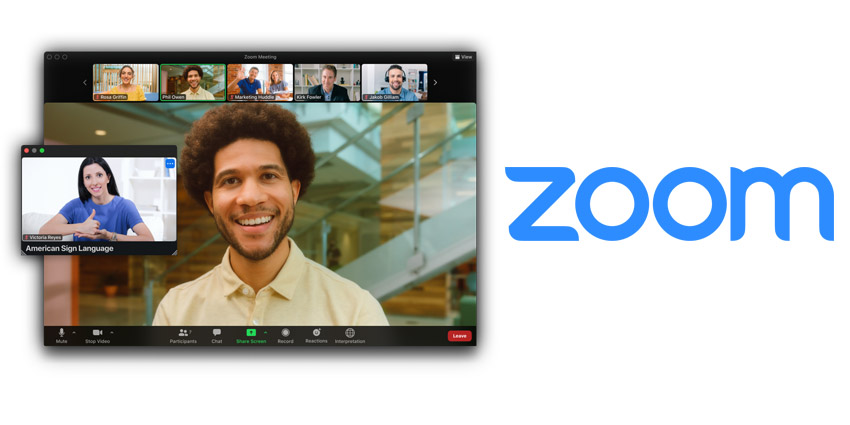
The setup is simple. The meeting host enables interpretation when scheduling, assigns interpreters to language channels, and attendees select their channel during the meeting. Zoom offers nine default languages for interpretation channels: English, Spanish, French, German, Portuguese, Japanese, Russian, Korean, and Chinese. You can add up to 25 custom languages in your account settings, though only five custom languages can be active in a single session alongside the defaults.
For a bilingual English-French meeting (the most common configuration for Canadian government and union events), Zoom handles the basics without any additional cost beyond a Pro license.
Where Zoom falls short for conference interpreters
Zoom wasn’t designed as an interpretation platform, and professional interpreters notice the gaps quickly. The limitations that matter most:
- No booth partner audio. In a traditional booth, interpreters listen to each other to maintain consistency and coordinate handovers. On Zoom, interpreters can’t hear their partner’s output at all.
- No relay. If your Spanish interpreter doesn’t understand the Mandarin speaker, they can’t listen to the English interpreter’s rendition and relay from that. For a bilingual English-French event, this doesn’t matter. For a four-language conference, it’s a dealbreaker.
- No dedicated handover button. Interpreters switch by manually muting and unmuting, which creates brief gaps in the audio.
- Recordings capture only the original audio. The interpreted channels are not included in Zoom recordings. If you need a multilingual recording of your conference, you’ll need a separate solution.
- Max 20 interpreters per session. For events with many language pairs, this cap can become a constraint.
For a deeper look at what interpreters need to do their job well, see our post on confidentiality in interpreting, which also covers the working conditions that affect output quality.
What about Microsoft Teams?
Teams added language interpretation as a generally available feature in mid-2025. It supports up to 16 language pairs per meeting, and interpreters are assigned through the meeting options when scheduling. The experience for attendees is similar to Zoom: they select a language channel and hear the interpreter.
Organizations that already run everything on Microsoft 365 like Teams because there’s nothing new to procure. For bilingual internal meetings, it does the job.
The new AI Interpreter Agent
The headline feature for Teams in 2026 is the Copilot Interpreter Agent, which uses AI to provide speech-to-speech translation. Key details:
- Supports nine languages: English, Spanish, French, German, Italian, Japanese, Mandarin, Korean, and Portuguese
- Can simulate the speaker’s own voice in the translated output (voice simulation)
- Requires a Microsoft 365 Copilot license (~USD $30/user/month)
- Each user gets 20 hours of AI interpretation per month with that license
- Works for meetings with up to 1,000 participants
Voice simulation is genuinely impressive for internal meetings. Participants hear a version of the speaker’s actual voice in their language, which makes the experience feel more natural than listening to a separate interpreter. But it’s AI, so it still struggles with heavy accents, fast speech, overlapping speakers, and specialized vocabulary. For formal government proceedings or sensitive negotiations, human interpreters remain the standard.
Teams limitations for professional conference interpreting
Teams shares most of Zoom’s limitations for professional interpreters:
- No purpose-built interpreter console (interpreters use the standard Teams desktop client)
- No dedicated handover button, no booth partner audio, no interpreter-specific controls
- Desktop app only (interpreters can’t use the web client or mobile)
- Recordings don’t capture the interpreted audio
- Relay is not supported natively, though third-party integrations (like Interprefy’s “Inject” solution) can add it
- Breakout rooms don’t support interpretation
For larger conferences with multiple languages, a dedicated RSI platform is a better fit.
What do dedicated RSI platforms offer that Zoom and Teams don’t?
The three dedicated platforms (KUDO, Interprefy, Interactio) were built specifically for interpretation. The differences are significant enough that most professional conference interpreters prefer working on them.
Purpose-built interpreter consoles
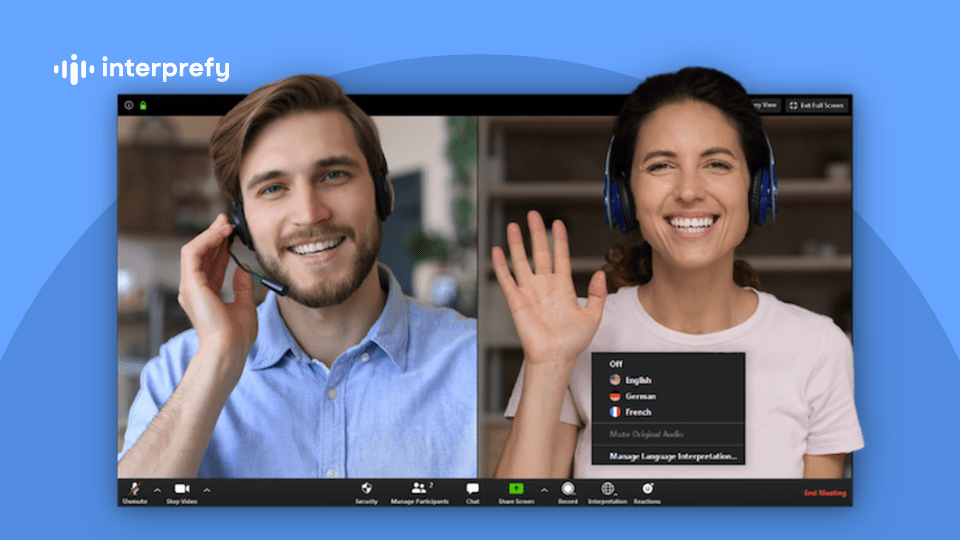
All three platforms provide a virtual interpreter console modeled on physical interpretation booths. What the console includes:
- Video feed of the speaker and any slides
- Booth partner audio (interpreters hear each other)
- One-click handover button for switching who’s active
- Relay channels (listening to another interpreter’s output to translate from a language you don’t speak directly)
- Chat between booth partners and with technical support
- Streaming timer showing how long the interpreter has been active
This is the working standard set by AIIC (the International Association of Conference Interpreters), and professional interpreters expect it. When interpreters have better tools, the quality of interpretation improves. That difference is audible to attendees, especially during long sessions or technically dense content.
Multilingual recordings
All three dedicated platforms can record each language channel separately, producing multilingual recordings of your event. This matters for:
- Post-event content distribution to multilingual audiences
- Compliance documentation for government proceedings
- Archival for organizations that need records in both official languages
- Repurposing conference content into multilingual on-demand video
Zoom and Teams only record the original audio, so you’d need to run a separate recording setup to capture the interpreted channels.
Hybrid event integration
Dedicated platforms are designed to bridge on-site and virtual audiences. Each handles this differently:
- Interactio uses Dante media networking to connect directly to on-site conference AV equipment. This is the same protocol used by professional AV installers, which makes Interactio particularly strong for hybrid events at established conference venues that already have interpretation hardware in place.
- KUDO integrates with on-site setups through its platform and supports connections with major event platforms like ON24, Hopin, Bizzabo, and EventMobi.
- Interprefy offers an “Inject” integration that overlays its interpretation tools onto Zoom or Teams meetings, plus direct integration with Webex and Google Meet. They also provide end-to-end project management and post-event media services (edited recordings with translated audio and subtitles).
For events where some attendees are in the room with traditional receivers and others are joining remotely, this bridging capability is what separates dedicated RSI platforms from Zoom and Teams.

Platform-agnostic flexibility
You don’t have to abandon your existing video platform to use a dedicated RSI tool. KUDO integrates with Zoom, Teams, ON24, Hopin, Bizzabo, EventMobi, and others. Interprefy’s “Inject” integration overlays onto Zoom or Teams. Interactio works with Zoom, Teams, and Webex. This means you can keep your existing video platform and add professional interpretation on top.
How do the three dedicated platforms differ from each other?
While KUDO, Interprefy, and Interactio share the core RSI features described above, each has a distinct focus.
| Feature | KUDO | Interprefy | Interactio |
| Strongest use case | Organizations that want both AI and human interpretation in one platform | Enterprise events needing end-to-end project management | Hybrid events with on-site AV equipment integration |
| Interpreter network | 12,000+ interpreters across 200+ languages | Global network (size not published) | Certified interpreters on platform database |
| AI capabilities | AI speech translation in 60+ languages with glossary management and voice cloning | AI speech translation in 60+ languages | Not a core AI feature |
| Notable clients | Corporate enterprises, associations | Corporate enterprises, global organizations | European Parliament, European Commission, United Nations, TEDx |
| Platform integrations | Zoom, Teams, ON24, Hopin, Bizzabo, EventMobi, Hubilo | Zoom, Teams, Webex, Google Meet | Zoom, Teams, Webex, Hopin |
| Hybrid hardware integration | Via platform + on-site AV | Via platform + on-site AV | Dante media networking (direct hardware integration) |
| Security | ISO 27001, SOC 2 Type 2 | ISO 27001 | ISO 27001, 12+ certifications |
Sources: KUDO pricing and features, Interprefy RSI solution, Interactio G2 reviews, Interactio features.
If your priority is AI translation capabilities with the option to add human interpreters when needed, KUDO has the most developed AI offering, including glossary management that lets you customize how the AI handles industry-specific terminology. If your priority is having a dedicated project manager handle the logistics end-to-end, Interprefy positions itself as a full-service partner rather than just a tool. If your priority is tight hybrid integration with physical conference infrastructure, Interactio’s Dante networking is the strongest option.
Which platform is best for Canadian government events?
Canadian government events have specific requirements that narrow the options. Federal events almost always need English-French simultaneous interpretation as a baseline under the Official Languages Act. Public consultations may add community languages (Arabic, Mandarin, Punjabi, and others depending on the population served). Accessibility legislation may require sign language interpretation and captioning alongside spoken-language interpretation.
For a deeper look at who needs what under Canadian law, see our guide on how to build a language access plan.
What to evaluate for government procurement
When evaluating RSI platforms for Canadian government use, these are the criteria that come up most often:
- Data residency. Where is the audio processed and stored? Canadian federal departments may require data to stay in Canada under PIPEDA. Ask the platform vendor directly about their data residency options, because not all platforms offer Canadian data centers.
- French-Canadian language support. Does the AI translation distinguish between Canadian French and France French? Not all AI engines do. For human interpretation, this depends on the interpreter, not the platform, but make sure the platform’s interface is available in French.
- Sign language support. Can the platform display a sign language interpreter’s video feed alongside the main content? KUDO and Interactio both support dedicated sign language channels. For more on sign language at events, see our post on the case for sign language interpreters at events.
- BYOI (bring your own interpreters). Government departments may have preferred interpreters with security clearances. All five platforms support BYOI, but the dedicated platforms make it easier to manage interpreter assignments across multiple language pairs.
- Procurement compatibility. Can the vendor respond to a Canadian government RFP? Dedicated RSI vendors typically can. If you are the one writing that RFP, our guide to writing an RFP for interpretation services covers what belongs in it. For more on government procurement of language services, see our government industry page.
For government events that need more than English-French, a dedicated RSI platform (KUDO, Interprefy, or Interactio) is the safer choice because of their support for unlimited languages and relay interpretation, plus purpose-built interpreter consoles that professional interpreters expect.

How much do RSI platforms cost?
Pricing varies by platform and event size, and also depends on whether you’re bringing your own interpreters or sourcing them through the platform. Here’s the general structure:
| Platform | Platform cost | What’s included |
| Zoom | Included with Pro plan (~USD $13/month per user) | Interpretation feature only. You source interpreters separately. |
| Microsoft Teams | Included with Teams. AI features require Copilot (~USD $30/user/month). | Human interpretation feature included. AI interpretation included with Copilot (20 hrs/month). |
| KUDO | Pay-as-you-go or annual subscription. Custom quotes for events. | Platform, optional interpreter marketplace, AI translation, multilingual recordings, tech support. |
| Interprefy | Custom quotes per event or subscription. | Platform, optional interpreter sourcing, AI speech translation, project management, post-event media. |
| Interactio | Custom quotes per event. | Platform, optional interpreter sourcing, Dante integration, tech support, analytics. |
The interpreter cost is separate from the platform cost
The platform is only part of the equation. Professional conference interpreters in Canada typically charge CAD $600 to $1,200 per day depending on the language pair and subject matter. You need two per language pair, and they rotate every 20 to 30 minutes to maintain accuracy over long sessions.
A typical bilingual English-French event with two interpreters for a full day costs roughly CAD $1,200 to $2,400 in interpreter fees alone. A four-language event (English, French, Spanish, Mandarin) would need eight interpreters (two per pair), putting the interpreter cost at CAD $4,800 to $9,600 for a full day, before platform fees.
For a detailed breakdown of interpreting costs, see our post on how to budget for interpreting.
RSI vs traditional on-site interpretation: cost comparison
If you’re comparing RSI against traditional on-site interpretation with booths and equipment, RSI typically saves 30% to 40% on the equipment and logistics side. Here’s where the savings come from:
- No physical interpretation booths to rent and install (a significant expense for multi-day events)
- No wireless receivers to rent, distribute, and collect
- No on-site AV technicians dedicated to interpretation equipment
- No interpreter travel or accommodation costs if they work remotely
The interpreter fees stay roughly the same whether they’re in a physical booth or working remotely on an RSI platform. For more on traditional equipment setups and costs, see our equipment rental guide.
How should you decide?
Start with your event format and work backward.
If your event is a small internal meeting (under 30 people, one language pair): Use whatever platform your team already uses. Zoom or Teams will handle bilingual English-French interpretation without any extra cost or setup beyond assigning interpreters.
If your event is a large conference or public consultation with multiple languages: Use a dedicated RSI platform. The interpreter console and relay support alone justify the additional cost, and you also get multilingual recordings. If your event has a hybrid component with on-site equipment, Interactio’s Dante integration is worth evaluating.
If your event requires AI translation for lower-stakes sessions alongside human interpreters for high-stakes plenary sessions: KUDO and Interprefy both offer hybrid AI + human setups where you can use AI for breakout sessions and live interpreters for the main stage. This can significantly reduce costs for multi-track conferences.
If you’re an LSP or event organizer bringing your own interpreters: All five platforms support BYOI, but the dedicated platforms give your interpreters better tools. Check with your interpreter team before committing to a platform. Most conference interpreters have experience with KUDO, Interprefy, or Interactio and may have a strong preference based on the console layout or the reliability of the handover function.
If you’re running a hybrid event with both in-room and remote attendees: Interactio’s Dante integration is the strongest option for bridging on-site AV with remote participants. KUDO and Interprefy also support hybrid setups, but Interactio was built with this use case at the center.
For a broader look at how RSI fits into multilingual event planning (including timelines, speaker prep, accessibility, and post-event content), see our multilingual conference planning guide.
Work with UNLS on your next RSI event
We provide interpreting for virtual, hybrid, and in-person conferences across Canada. We work with all major RSI platforms and bring our own interpreters to whichever one fits your event. Whether you need English-French for a federal consultation or four languages for an international summit, we handle the platform setup and interpreter coordination, with technical support throughout.
Get in touch and we’ll recommend the right platform and setup for your event.
Frequently asked questions about RSI platforms
Do I need a dedicated RSI platform if I already have Zoom?
For a bilingual meeting with one language pair, Zoom’s built-in interpretation works. For conferences with more than two languages, or for events where your interpreters need relay, handover, or booth partner audio, a dedicated platform is worth the investment. The quality of interpretation improves when interpreters have better tools, and attendees notice the difference during long or complex sessions.
Can my interpreters use any RSI platform, or do they need training?
Most professional conference interpreters are familiar with KUDO, Interprefy, and Interactio. If your interpreters haven’t used a specific platform before, a 30-minute orientation session before the event is usually enough. Interpreters working on Zoom or Teams for the first time should also get a walkthrough, since those platforms lack some features interpreters expect (like the handover button or booth partner audio).
Does RSI work for in-person events where attendees are in the room?
Yes. Attendees can listen to interpretation on their smartphones using the platform’s mobile app or a QR code link. This can replace traditional wireless receivers entirely, or you can run RSI alongside physical equipment for a hybrid setup. Interactio’s Dante integration is specifically designed for bridging RSI with on-site conference hardware. For more on how to set up the on-site equipment side of things, see our equipment rental page.
Is AI interpretation good enough to replace human interpreters?
For informal meetings and lower-stakes sessions, AI interpretation has improved significantly. KUDO’s AI speech translator covers 60+ languages, and Teams’ Copilot Interpreter Agent simulates the speaker’s voice. But for high-stakes events (government proceedings, legal contexts, medical conferences, union negotiations), human interpreters remain the standard. AI still struggles with heavy accents, technical terminology, speaker overlap, cultural nuance, and the kind of judgment calls that experienced interpreters make instinctively.
How do I make sure RSI audio quality is good enough for my interpreters?
Audio quality is the single biggest factor in interpreter performance on RSI platforms. AIIC’s reference guide to RSI recommends that interpreters use:
- A wired internet connection (not Wi-Fi)
- A professional-grade headset with noise cancellation
- A quiet, private workspace with no background noise
On the event side, the most important steps are making sure speakers use external microphones rather than laptop built-in mics, and testing the full audio chain with interpreters before the event starts. Our post on how to set up a hybrid event with interpretation covers the technical setup in detail.
What happens if the RSI platform goes down during my event?
Dedicated platforms (KUDO, Interprefy, Interactio) provide on-call technical support during live events and have redundancy built into their infrastructure. Interactio, for example, has supported 976,000 attendees simultaneously and serves over 2,000 events per month, so their infrastructure is battle-tested.
If you’re using Zoom or Teams, platform outages affect interpretation the same way they affect everything else in the meeting. For critical events, have a backup plan: a second platform configured and ready, or a phone bridge your interpreters can switch to. For more on contingency planning, see our post on what happens when interpretation equipment fails.
Author: Brian Bickford
Brian Bickford is the founder of UN Language Services, a leading provider of language solutions in Canada. With over two decades of experience in the industry, Brian has helped governments, unions, NGOs, and event planners overcome language barriers through expert interpretation, translation, and consulting. As a former freelancer turned entrepreneur, he remains committed to quality, client satisfaction, and empowering interpreters at every stage of their careers.